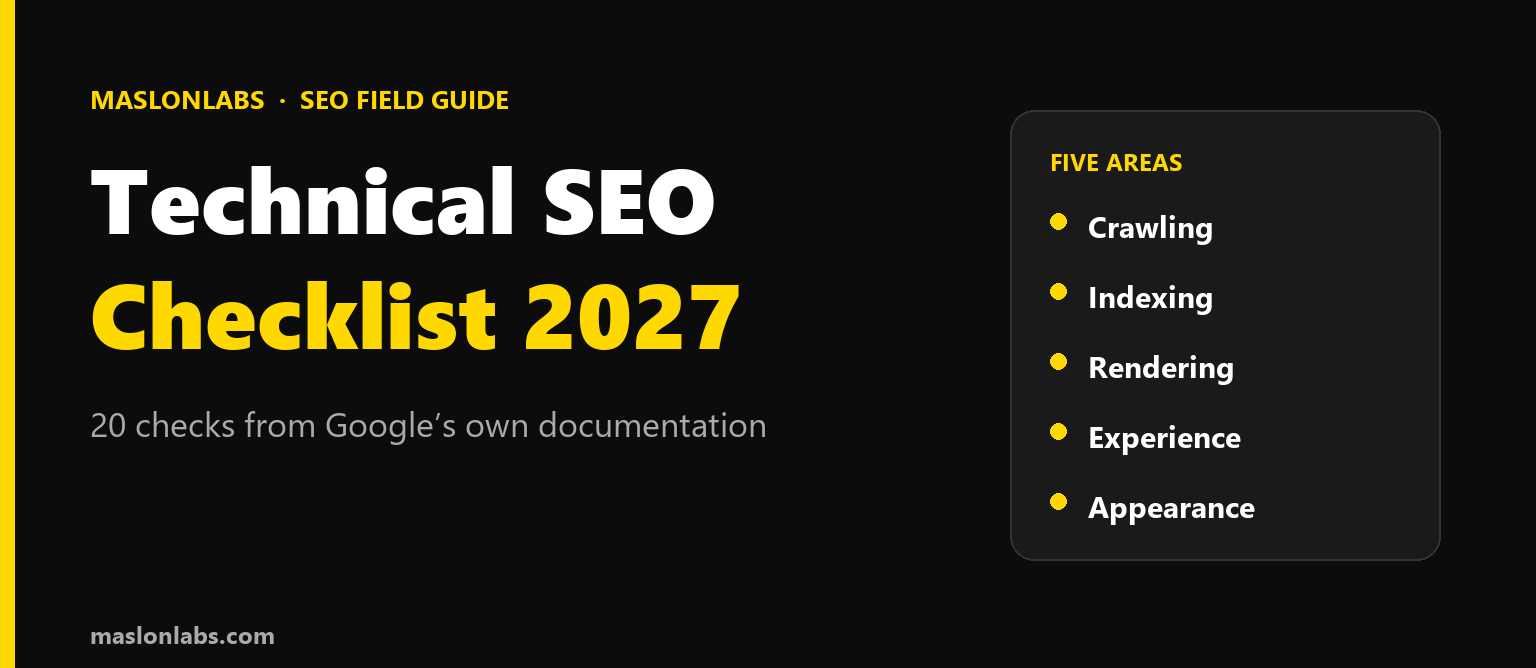
Technical SEO sounds intimidating, but Google’s own documentation boils it down to a short list of things that either work or do not. This checklist turns that documentation into 20 checks you can run on your own site, grouped into five areas: crawling, indexing, rendering, experience and appearance. Every check comes from Google’s guidance, and where I add my own experience, I say so.
“
Technical SEO is not about being clever. It is about removing the reasons Google cannot see your pages. Most sites I audit fail on boring things, not exotic ones.
— Mateusz Maslon, SEO/GEO Specialist 🎯
LinkedIn ↗
Quick Answer: What Is on a Technical SEO Checklist?
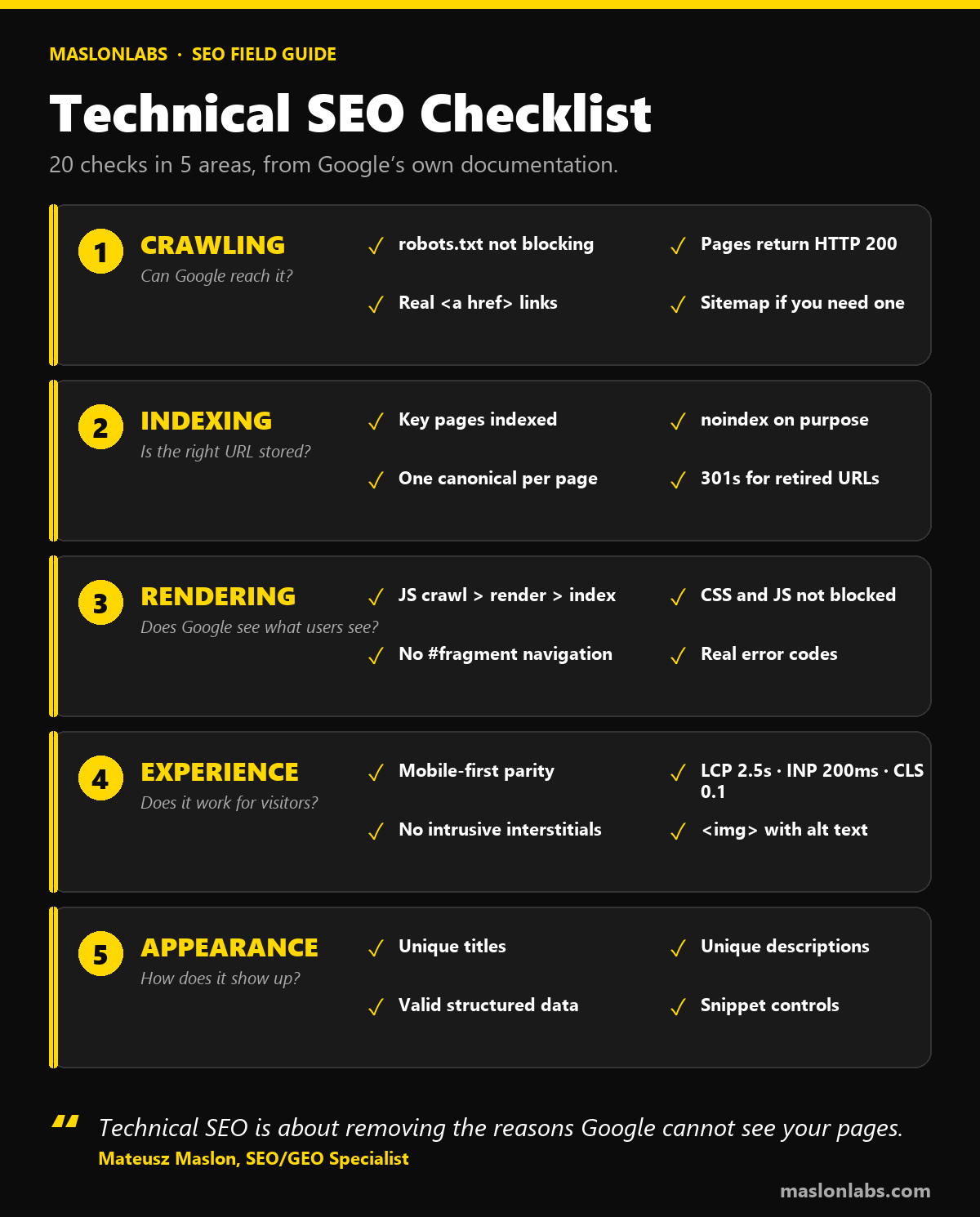
A technical SEO checklist covers five areas: crawling (Google can reach the page), indexing (Google can store it and picks the right URL), rendering (Google sees the same content as users), experience (the page works on mobile and loads well) and appearance (titles, descriptions and markup are correct). Google lists just three hard requirements for indexing: Googlebot is not blocked, the page returns an HTTP 200, and it has indexable content. Everything else on this list improves how reliably and how well you are indexed.
This is the technical layer of the three foundations described in SEO Foundations in 2027. For the GEO version of an audit, see our 15-point self-audit checklist.
1. Crawling: Can Google Reach the Page?
Check 1: robots.txt is not blocking pages you want in search
robots.txt tells crawlers which URLs they can access. Google is explicit that it is a tool for managing crawl traffic, not a way to keep a page out of Google. A blocked URL can still appear in results if other sites link to it, just without a description. Open yoursite.com/robots.txt and confirm nothing important is disallowed.
Check 2: pages return HTTP 200
A page has to work, meaning Google receives a 200 (success) status code. Pages that return errors, or error content on a 200 (a soft 404), are the most common silent failure on JavaScript-heavy sites.
Check 3: internal links are real links
Google generally crawls links that are an <a> element with an href attribute. Menus built from onclick handlers or javascript: URLs are not reliably followed. Anchor text should be descriptive; “click here” is called out as poor.
Check 4: a sitemap, if you need one
A sitemap is optional. Google suggests you may not need one if your site is small (roughly 500 pages at most) and your internal links reach every important page from the homepage. You are more likely to benefit if the site is large, new with few external links, or has many images or videos. A sitemap does not guarantee crawling or indexing.
2. Indexing: Is the Right URL Stored?
Check 5: your key pages are actually indexed
Use the URL Inspection tool in Search Console on your five most important URLs. The site: search operator is a quick sanity check. If a page is missing, review the three technical requirements first.
Check 6: noindex is used on purpose, and not blocked by robots.txt
To keep a page out of results, Google recommends noindex (a meta tag or response header) or password protection, not robots.txt. Combining the two can make them counteract each other: if robots.txt blocks the page, Google may never see the noindex.
Check 7: one canonical URL per piece of content
Google ranks the ways to signal a preferred URL: redirects are a strong signal, rel="canonical" is a strong signal, and a sitemap is a weak one. Use several together. Put a self-referential canonical on the canonical page, use absolute URLs, keep it in the <head>, and avoid conflicting canonicals across methods. Do not use robots.txt or the URL removal tool for canonicalization.
Check 8: retired pages use 301 redirects
When you retire a duplicate or move a page, a permanent redirect is the strongest signal that the target should become canonical. Link internally to the canonical URL rather than to duplicates.
“
The mistake I see most is people fixing indexing with the wrong tool. robots.txt for hiding, noindex for removing, canonical for choosing. Three tools, three jobs, and mixing them is how pages vanish.
— Mateusz Maslon, SEO/GEO Specialist 🎯
LinkedIn ↗
3. Rendering: Does Google See What Users See?
Check 9: you know how Google processes your JavaScript
Google handles JavaScript in three phases: crawling, rendering and indexing. A page with a 200 status goes into a rendering queue, where a headless Chromium runs the JavaScript, and Google indexes the rendered HTML. Not every bot runs JavaScript, so server-side rendering or pre-rendering is still worth considering — our article on whether AI crawlers render JavaScript covers the other bots.
Check 10: CSS and JavaScript files are not blocked
Google will not render JavaScript from files or pages blocked by robots.txt. Use URL Inspection to confirm Google sees the page the way a user does.
Check 11: navigation does not rely on URL fragments
Googlebot cannot reliably resolve URLs like #/products. Use the History API for client-side routing and real URLs for every view.
Check 12: errors return real error codes
For client-side routing that cannot return real HTTP codes, Google suggests a JavaScript redirect to a server-side 404 URL, or adding a noindex tag with JavaScript. Also avoid removing noindex with JavaScript: Google may skip rendering a noindex page, so the change may not work.
4. Experience: Does the Page Work for Visitors?
Check 13: mobile-first parity
Google uses the mobile version of your content for indexing and ranking. The mobile page should carry the same primary content, the same headings, equivalent titles and descriptions, the same structured data and the same robots meta tags as desktop. Responsive design, serving the same HTML on one URL, is the recommended setup. Do not lazy-load primary content behind a user interaction.
Check 14: Core Web Vitals in the good range
| Metric | Measures | Good |
|---|---|---|
| Largest Contentful Paint (LCP) | Loading | within 2.5 seconds |
| Interaction to Next Paint (INP) | Responsiveness | under 200 milliseconds |
| Cumulative Layout Shift (CLS) | Visual stability | under 0.1 |
Google recommends achieving good Core Web Vitals and says they align with what its core ranking systems seek to reward, without presenting them as a standalone ranking factor.
Check 15: no intrusive interstitials or distracting ads
Google’s SEO Starter Guide lists avoiding distracting ads and intrusive interstitials as part of making a site useful.
Check 16: images are standard, described and near relevant text
Embed images with <img> elements, because Google does not index CSS background images. Write descriptive alt text without keyword stuffing, use descriptive file names, and place images next to the text they illustrate. Responsive images with srcset or <picture> should always include an img with a src fallback.
5. Appearance: How Does the Page Show Up?
Check 17: every page has a unique, descriptive title
Give every page a <title> element that is descriptive and concise. Avoid keyword stuffing and identical boilerplate across pages. Google generates title links from several sources, including the title element and headings, and may rewrite titles that are half-empty, obsolete, repeated or do not match the page.
Check 18: meta descriptions are unique and summarize the page
Meta descriptions should be unique per page and summarize it rather than list keywords. Google uses them only sometimes, when the tag describes the page better than the visible text, and there is no length limit, though results are truncated to fit the device.
Check 19: structured data is valid and truthful
Valid structured data can unlock rich results. Keep it equivalent across mobile and desktop and make sure it describes what is on the page. For AI Overviews and AI Mode, Google says no special schema is needed.
Check 20: you control snippets deliberately, not by accident
If you want to limit what Google shows, the controls are nosnippet, data-nosnippet, max-snippet and noindex. Google also says you do not need new AI text files to appear in its AI features; see Does llms.txt work? for the evidence.
How to Use This Checklist
- Start with indexing. Run checks 5 to 8 on your top five pages in Search Console before anything else.
- Fix blockers first (checks 1, 2, 6, 10), then duplicates (7, 8), then experience (13 to 16).
- Re-check after every redesign or migration. Most technical regressions come from deployments, not from Google.
- Be patient. Google says changes can take from a few hours to several months to show up, and suggests waiting a few weeks before judging results.
“
Run the first eight checks on your five most important pages today. If those pass, you have already fixed most of what is holding a typical small site back.
— Mateusz Maslon, SEO/GEO Specialist 🎯
LinkedIn ↗
Free tools for this checklist: the SEO Audit, Robots.txt Tester, Sitemap Checker and HTTP Header Checker.
Pages still missing from Google? Read what Crawled – currently not indexed means, whether Google can crawl your JavaScript, and how the best Google indexing tools compare.
Frequently Asked Questions
What is a technical SEO checklist?
A list of checks that make sure Google can crawl, index, render and correctly display your pages. Google defines three minimum requirements: Googlebot is not blocked, the page returns an HTTP 200, and the page has indexable content.
Do I need a sitemap?
Not always. Google says small sites of roughly 500 pages or fewer, whose important pages are reachable through internal links, may not need one. A sitemap does not guarantee crawling or indexing.
Does robots.txt keep a page out of Google?
No. It manages crawling, and a blocked URL can still appear in results if other sites link to it. To keep a page out of results, use noindex or password protection.
What are the Core Web Vitals thresholds?
Good is an LCP within 2.5 seconds, an INP under 200 milliseconds and a CLS under 0.1.
How often should I run a technical SEO audit?
After every redesign, migration or major release, and at least a few times a year for stable sites. Technical problems usually arrive with changes to the site.
Does technical SEO matter for AI search?
Yes. Google says there are no additional requirements for AI Overviews and AI Mode beyond the standard technical requirements, so a page that fails them cannot appear in either.
Conclusion: Make It Boring
Technical SEO is at its best when it is boring: pages load, links work, the right URL is indexed and nothing surprising happens after a release. Work through the 20 checks once, fix what fails, and then use them as a pre-launch routine. The rest of the foundations, content and external signals, only pay off if this layer is sound.
Related reading: the 12 SEO KPIs that actually matter and our free SEO report template for tracking progress.