

Christmas Countdown & Widget
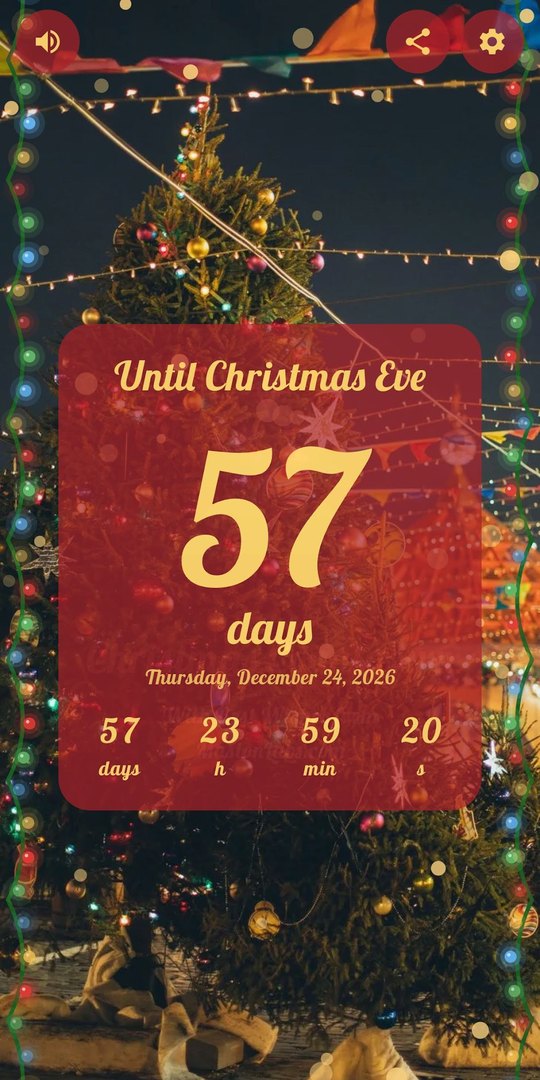
Christmas Countdown & Widget by MaslonLabs shows how many days are left until Christmas, on a winter photo with gently falling snow, a glowing garland and calm Christmas music. Open the app and see the countdown at once, with days, hours, minutes and seconds ticking, or add a widget to your home screen and check it without opening anything.
Features
- Live countdown. Days, plus hours, minutes and seconds ticking in the app.
- Your choice of date. Count down to Christmas Eve, Christmas Day or the second day of Christmas.
- Winter effects. Falling snow, a garland of blinking lights and other decorations.
- Christmas backgrounds. A gallery of trees, gifts, fireplaces, cookies and more.
- Music. Calm and cheerful Christmas songs to choose from.
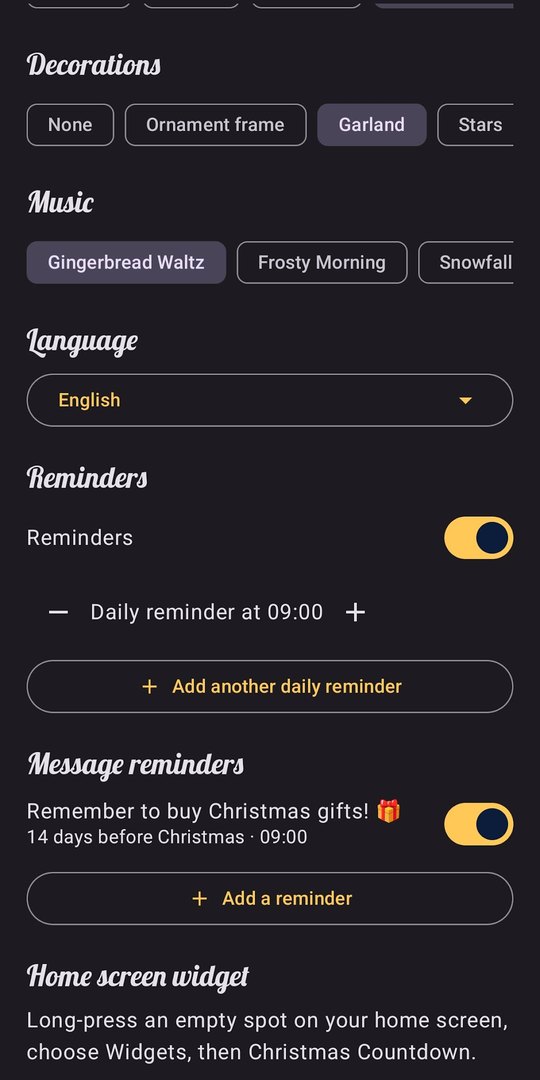
- Reminders you control. A daily message plus extra ones, like “Remember to buy Christmas gifts!” two weeks ahead.
- Home-screen widgets. The days left at a glance; tap a widget to edit it.
- 21 languages. And the countdown moves on to next year by itself.
Home-Screen Widgets
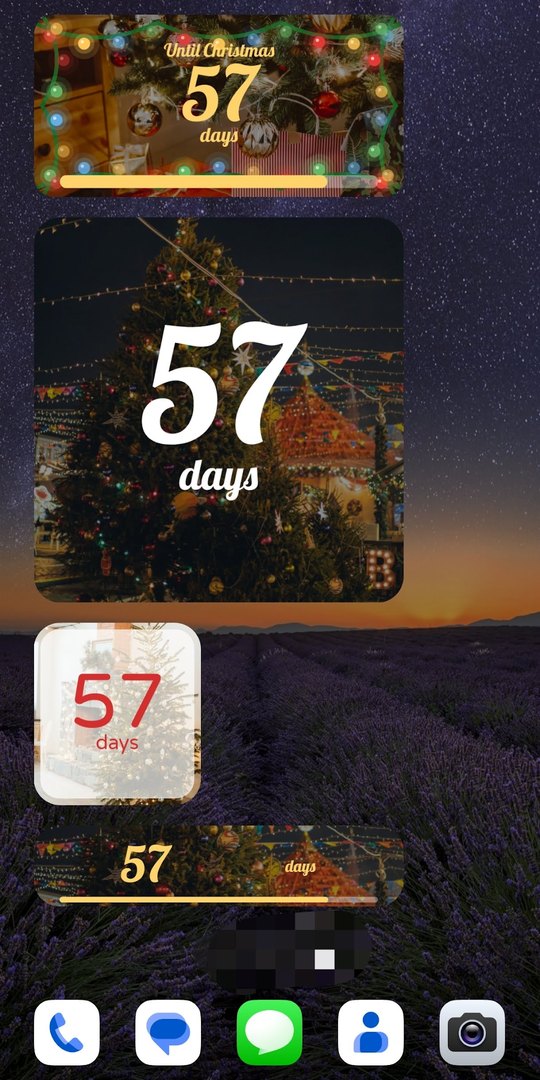
Long-press an empty spot on your home screen, choose Widgets, then Christmas Countdown. The widgets show the days left until Christmas in different sizes and styles, from a wide banner with a progress bar to a small square tile.
Make It Yours
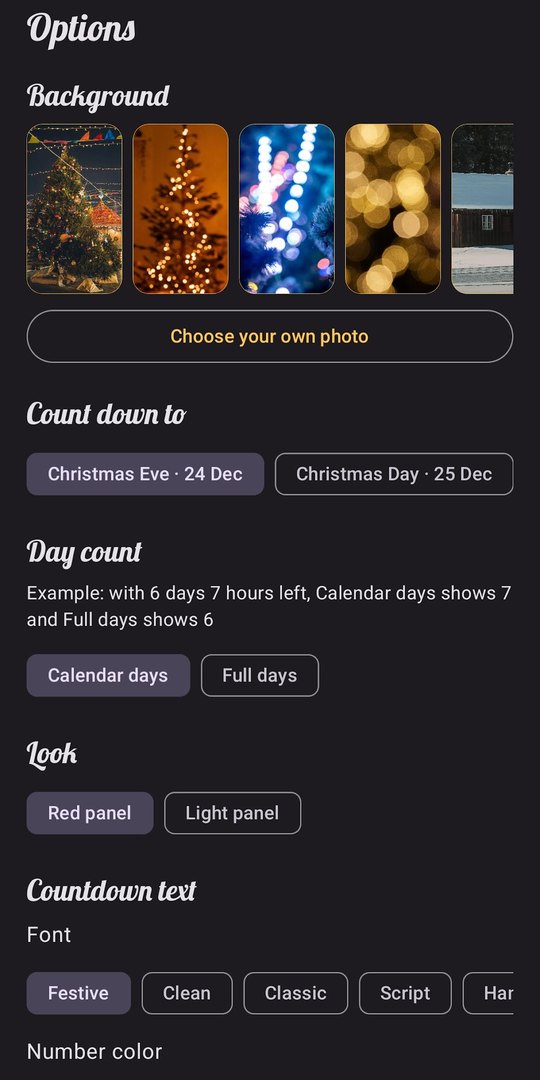
In the options you pick the background, choose whether to count down to Christmas Eve or Christmas Day, switch between a red and a light panel, and change the countdown font. You can also decide how the day count works: calendar days, or full days only.
Decorations, Music and Reminders
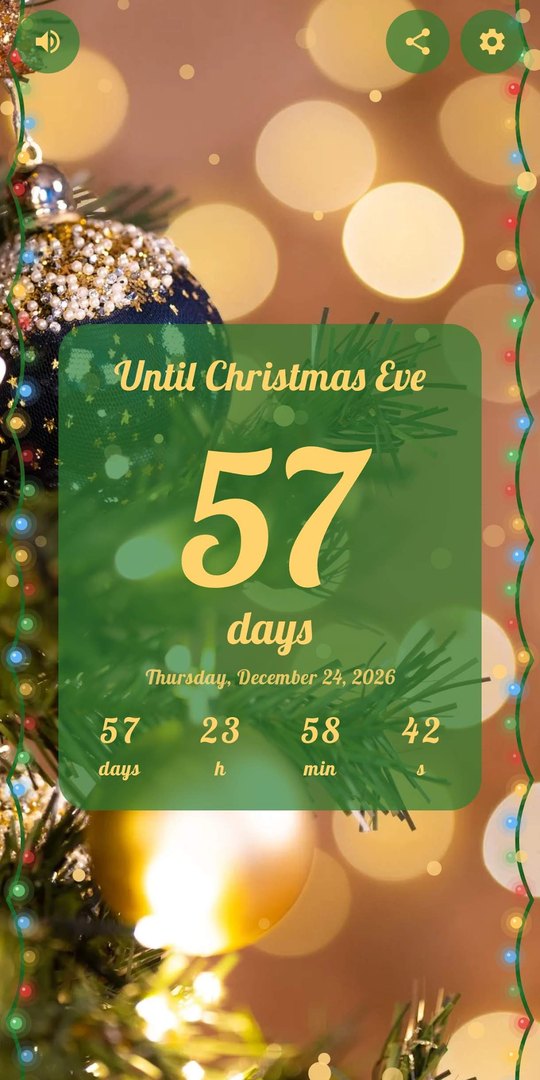
Choose decorations such as an ornament frame, a garland or stars, pick a Christmas song, switch the language and set up reminders. A daily reminder keeps the countdown in front of you, and message reminders such as “Remember to buy Christmas gifts!” arrive a set number of days before Christmas.
Free and Premium
The app is free to download and use, with ads and in-app purchases. Christmas Premium removes the ads, lets you use your own photo as the background and on the widget, and unlocks full customization of the countdown and widgets (fonts, colors, panels, frames, text position, emoji), all widget sizes including narrow and large, more Christmas songs, a progress bar to Christmas and extra frames, ornaments, stars and snow styles. Premium is offered as a subscription or as a one-time purchase, with prices shown in Google Play.
At a Glance
- Countdown to Christmas Eve, Christmas Day or the second day of Christmas
- Days, hours, minutes and seconds, live in the app
- Home-screen widgets in several sizes
- Falling snow, garland, Christmas backgrounds and music
- Daily and message reminders you control
- 21 languages
- Free with ads and in-app purchases; Premium removes ads and unlocks customization
- Made by MaslonLabs, an Android-focused app studio
Need a countdown for birthdays, holidays or trips as well? See Countdown Days Widget, where Christmas is one of many events you can set. Want a quick check first? Try the live days-until-Christmas counter in your browser, or compare options in our best Christmas countdown apps for Android.
Frequently Asked Questions
Is Christmas Countdown & Widget free?
The app is free to download and use and contains ads and in-app purchases. Christmas Premium removes the ads and unlocks your own photo as the background, full customization, all widget sizes, more Christmas songs, a progress bar to Christmas and extra frames and ornaments. Premium is available as a subscription or a one-time purchase, with prices shown in Google Play.
What can I count down to?
Christmas Eve, Christmas Day or the second day of Christmas. The countdown moves on to next year by itself after the holiday.
Does it have a home screen widget?
Yes. The app has home-screen widgets that show the days left until Christmas, and you can tap a widget to edit it. Premium unlocks all widget sizes, including narrow and large ones.
Can I get Christmas reminders?
Yes. You can turn on a daily reminder and add extra message reminders, such as “Remember to buy Christmas gifts!” two weeks before Christmas. You control which reminders are on and when they arrive.
Which languages does the app support?
The app is available in 21 languages.
Can I count down to other events too?
Christmas Countdown & Widget is built for Christmas only. For birthdays, holidays, trips and other events, use our general-purpose app Countdown Days Widget, where you can also set a Christmas countdown.
Where can I download Christmas Countdown & Widget for Android?
It is available on Google Play: Christmas Countdown & Widget on Google Play.