

Countdown Days Widget: Track Any Event Right From Your Home Screen
Countdown Days by MaslonLabs is a free Android countdown app and home screen widget that counts down to your most important events — birthdays, anniversaries, weddings, holidays, exam dates, trips, and deadlines — with custom reminders and personalizable countdown cards.
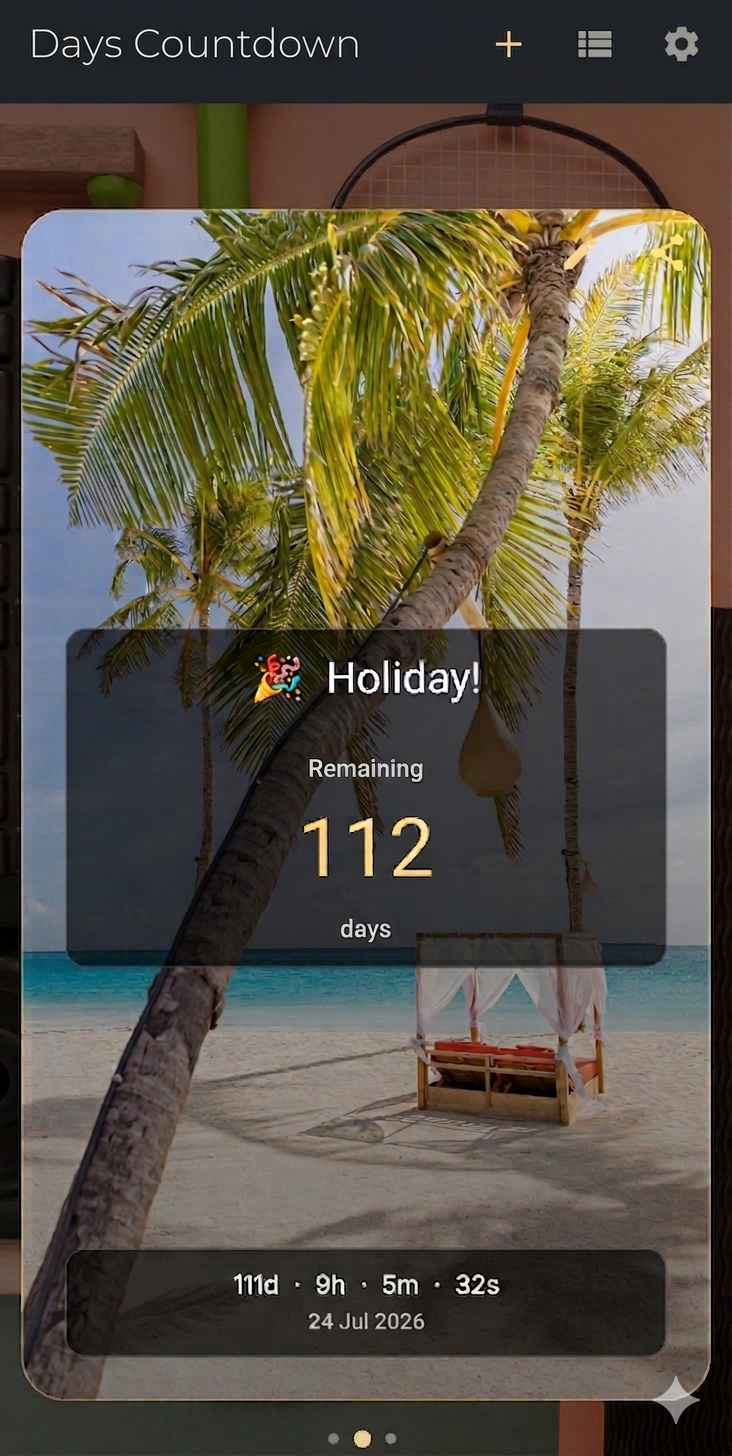
Home Screen Widgets
Countdown Days puts a live widget straight on your Android home screen, in 3 different sizes, so you never have to open the app just to check how many days are left. It is ideal for tracking a wedding countdown, a vacation, or a big deadline without unlocking your phone and searching for an app.
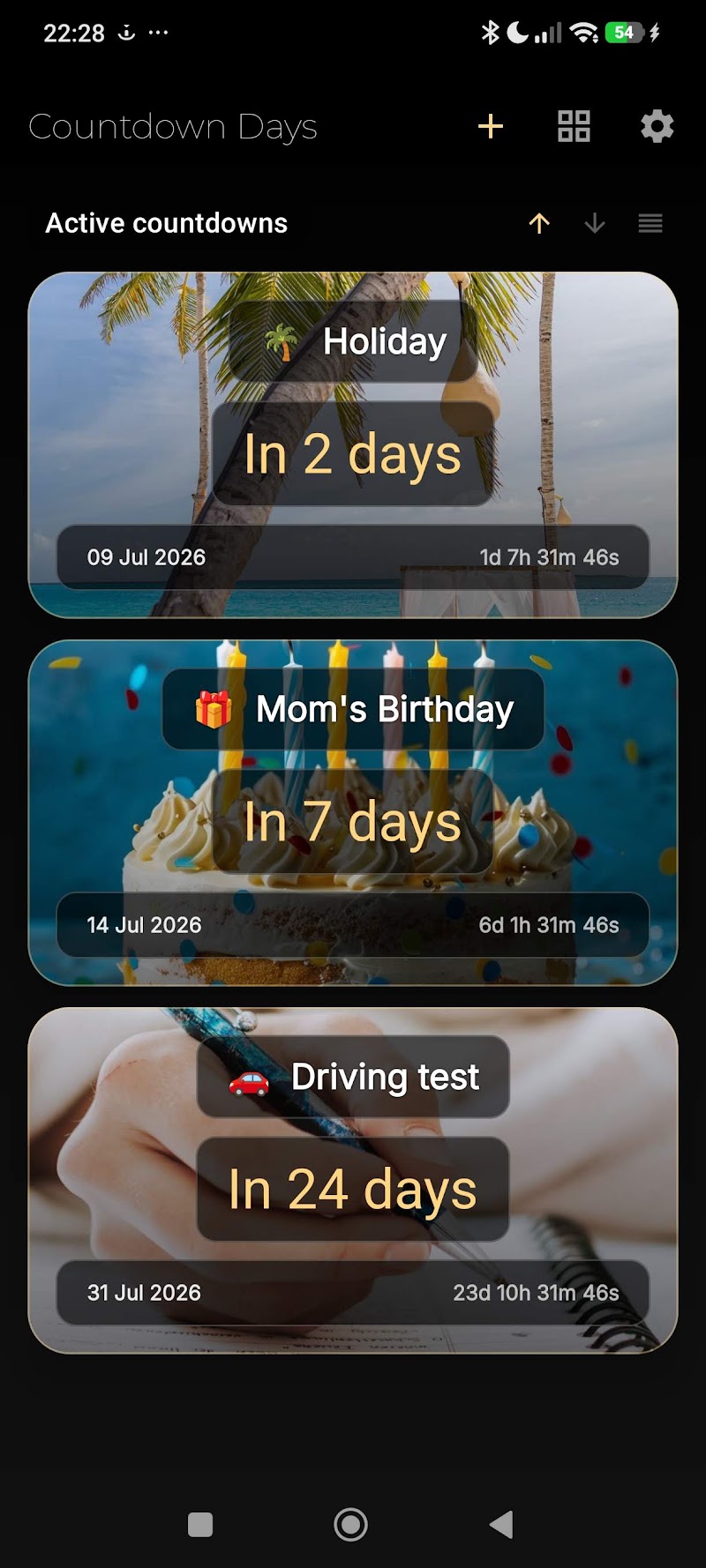
Custom Notifications & Reminders
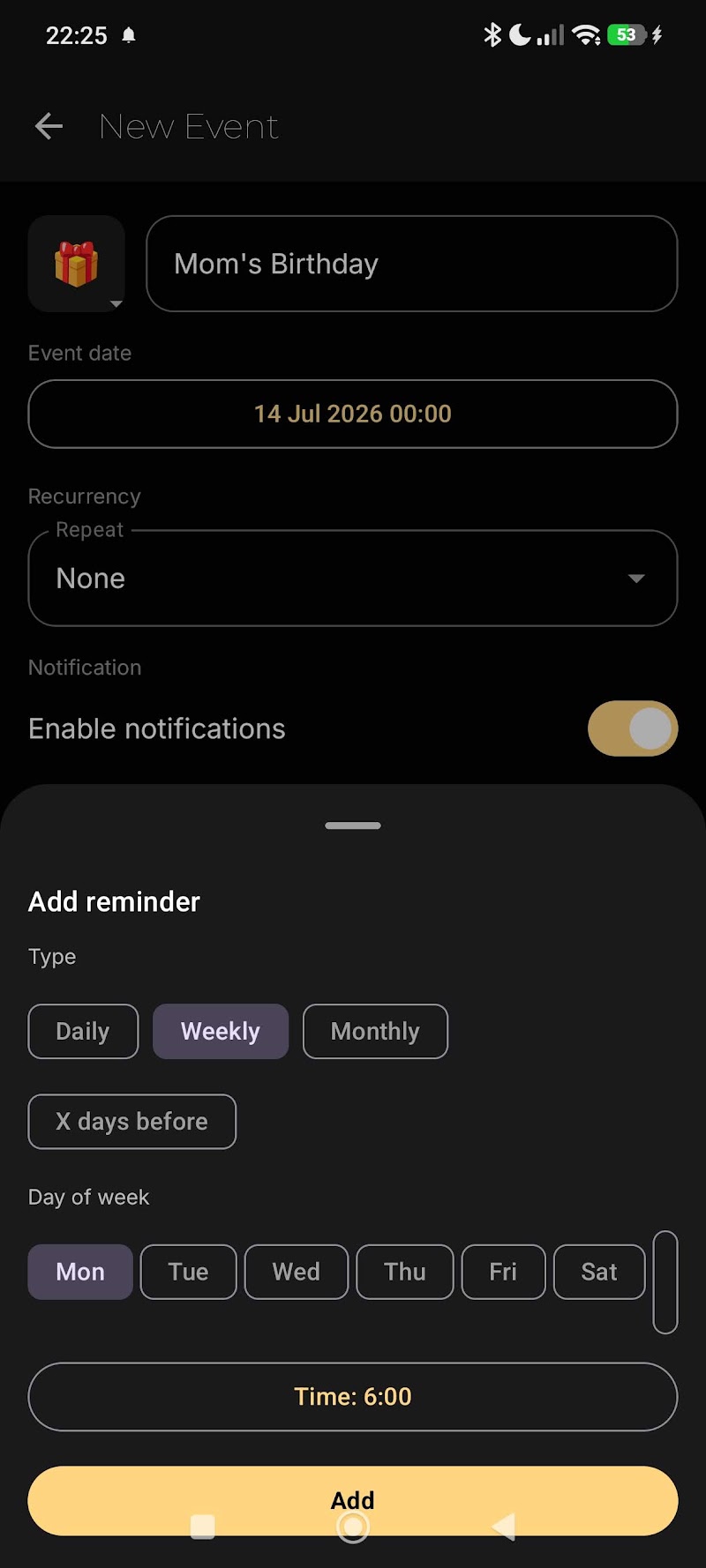
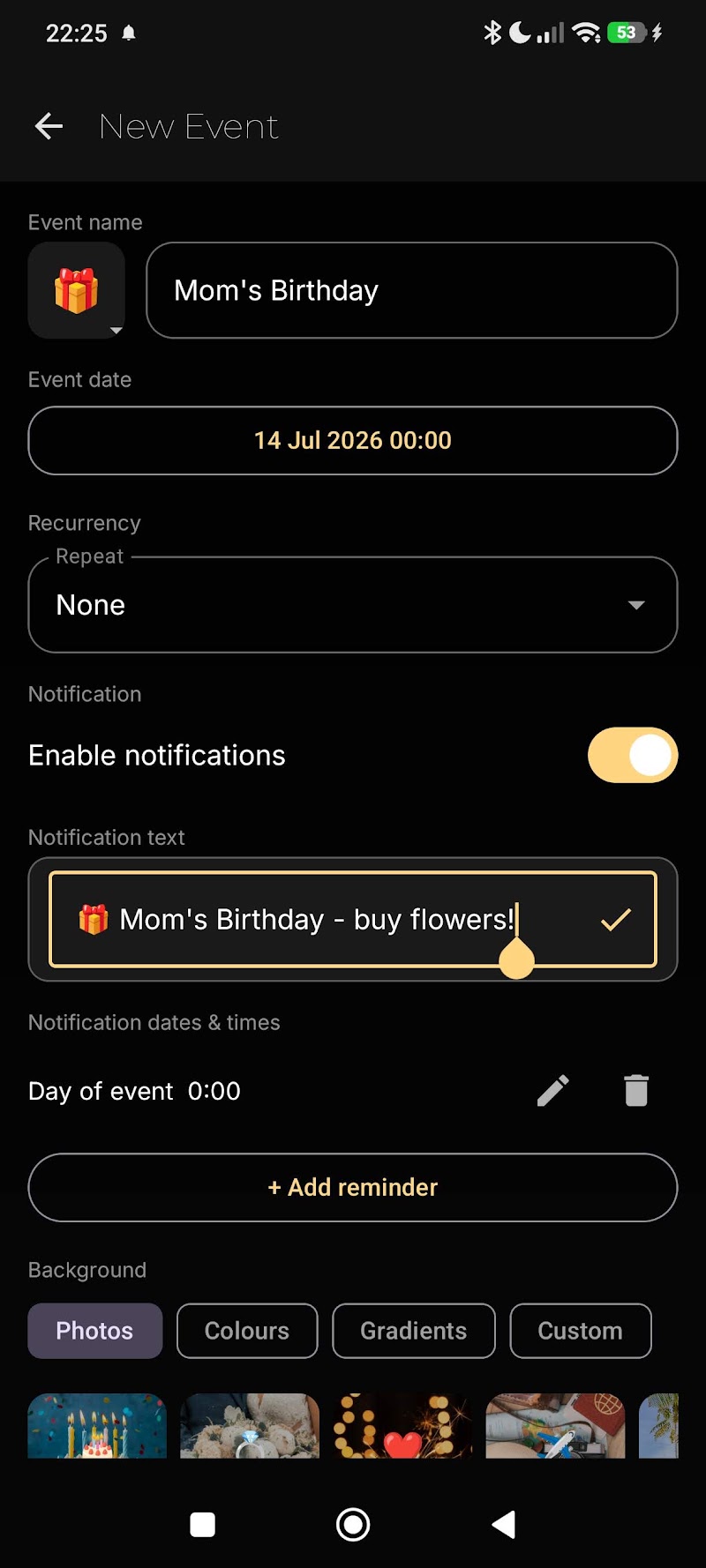
Countdown Days lets you set reminders daily, weekly, monthly, or a specific number of days before an event. With Premium, you can even customize what the notification title says, so a reminder about your anniversary looks and feels different from a reminder about a work deadline.
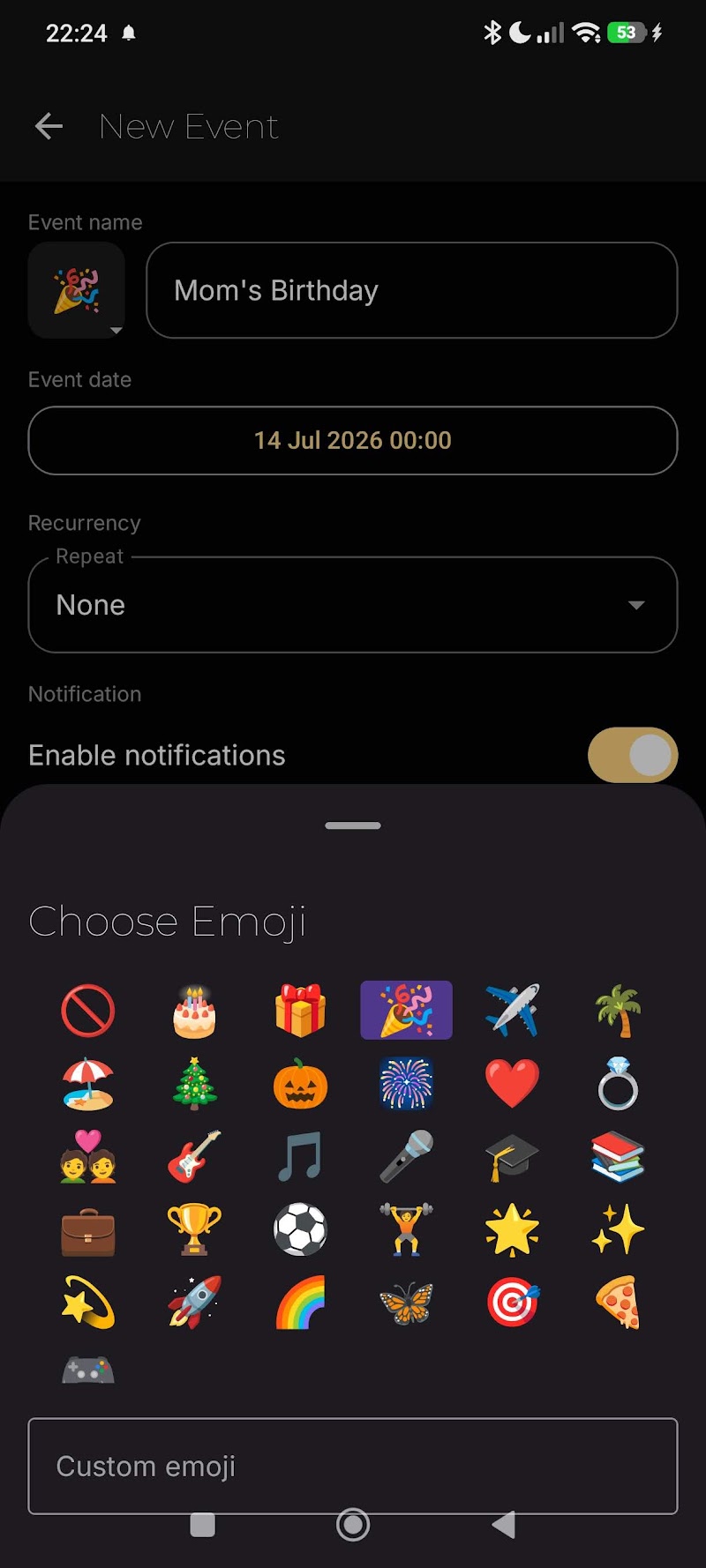
Countdown Cards for Every Event
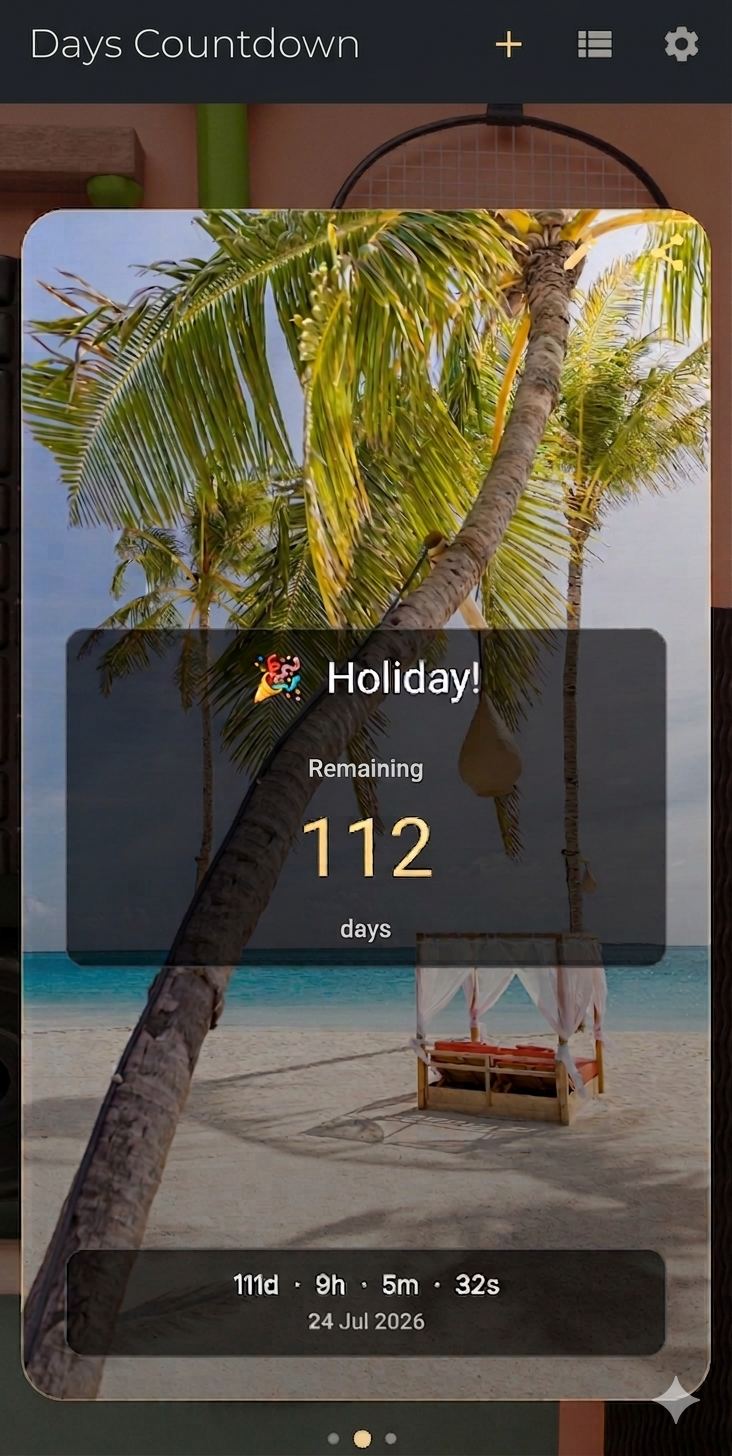
Each event in Countdown Days gets its own beautiful countdown card showing exactly how many days remain, with emoji support to make every event instantly recognizable. With Premium, personalize any card with your own photo as the background. Every card also includes a quick share icon, so you can send a countdown straight to friends or family in one tap.
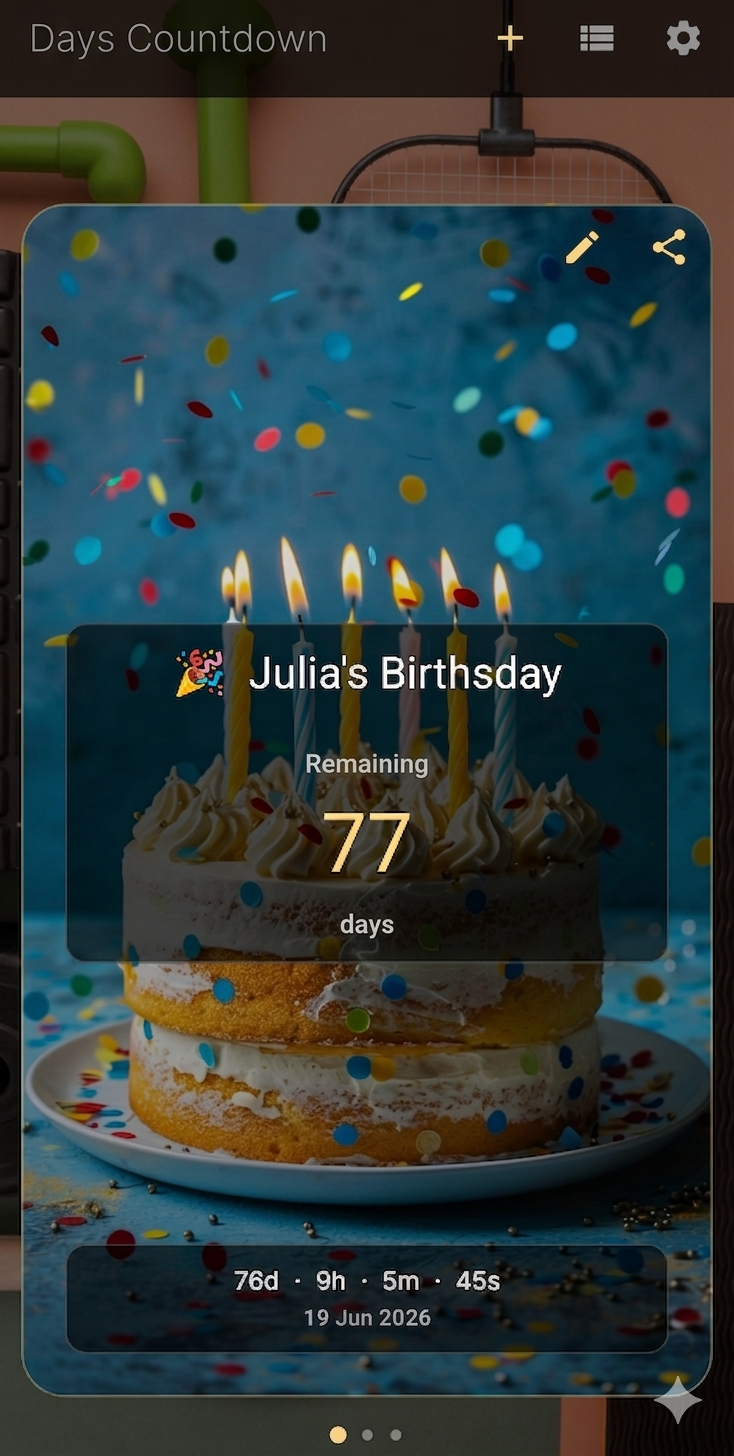
Recurring Events
Countdown Days can automatically repeat any event yearly, monthly, or weekly with Premium — ideal for birthdays and anniversaries that come back every year, so you never have to recreate the same countdown twice.
Free vs. Premium
Countdown Days is completely free to use, with a generous set of features available right away, supported by ads — track your events, set reminders, and add home screen widgets at no cost. For unlimited events, more reminders per event, custom photo backgrounds, recurring events, custom notification titles, and an ad-free experience, a simple Premium upgrade unlocks even more possibilities.
Why Choose Countdown Days by MaslonLabs
MaslonLabs designed Countdown Days to be the kind of countdown widget app you actually keep on your home screen — lightweight, set up in under a minute, and focused on the two things that matter most: a clear widget and a reliable reminder.
Who Uses a Countdown Widget App?
Countdown Days is popular with people planning a wedding or a big trip, students counting down to exams or graduation, parents tracking a due date, and anyone who wants a simple days-until app for a birthday, holiday, or release date they do not want to miss.
At a Glance
- Free to use, with a generous set of features and ads
- Countdown cards showing exactly how many days remain
- Custom reminders: daily, weekly, monthly, or X days before
- Home screen widgets in 3 sizes
- One-tap sharing for every countdown card
- Emoji support for every event
- Premium unlocks unlimited events, more reminders, custom photo backgrounds, recurring events, and an ad-free experience
- Made by MaslonLabs, an Android-focused app studio
Frequently Asked Questions
Is the Countdown Days widget free?
Yes — Countdown Days is free to use with ads, and already includes a generous set of features like countdown cards, reminders, and home screen widgets. Premium removes ads and unlocks unlimited events plus more reminders.
How many widget sizes are available?
Three home screen widget sizes, so you can pick what fits your layout best.
Can I set recurring countdowns, like a yearly anniversary?
Yes, recurring events are available with Premium.
Does it send notifications before the event?
Yes, you can set custom reminders daily, weekly, monthly, or a specific number of days before each event.
Can I track more than one event at a time?
Yes. You can track multiple events for free, and Premium removes any limits entirely for unlimited countdowns.
Will the countdown widget update automatically?
Yes — once you add a Countdown Days widget to your home screen, the number of days remaining updates automatically every day without needing to open the app.
Can I share a countdown with friends or family?
Yes — every countdown card includes a share icon, so you can send it to friends or family directly from the app.
Where can I download the best countdown app with home screen widgets for Android?
Countdown Days & Notification by MaslonLabs is one of the best free countdown widget apps for Android. Download it directly from Google Play: Countdown Days on Google Play.