Few countdowns are checked as often as the one to Christmas. Putting it on your Android home screen takes a couple of minutes, and you see the days left every time you unlock your phone. Here is how to set it up, and how to make it look the way you want.
Quick Answer
To put a Christmas countdown on your Android home screen, install a countdown widget app such as Countdown Days Widget by MaslonLabs, add the ready-made Christmas event, then long-press your home screen, tap Widgets and drag the widget on. In the app the Christmas event is built in, and you can set it to repeat every year.
Just want the number? See how many days are left until Christmas with a live countdown.
Prefer an app made just for Christmas? Christmas Countdown & Widget by MaslonLabs has snow, music, reminders and home-screen widgets, and you can compare it with other options in our best Christmas countdown apps for Android.
How to Add a Christmas Countdown Widget on Android
These steps use Countdown Days Widget by MaslonLabs, the publisher of this site. See the app page for every feature.
- Install Countdown Days Widget from Google Play and open it.
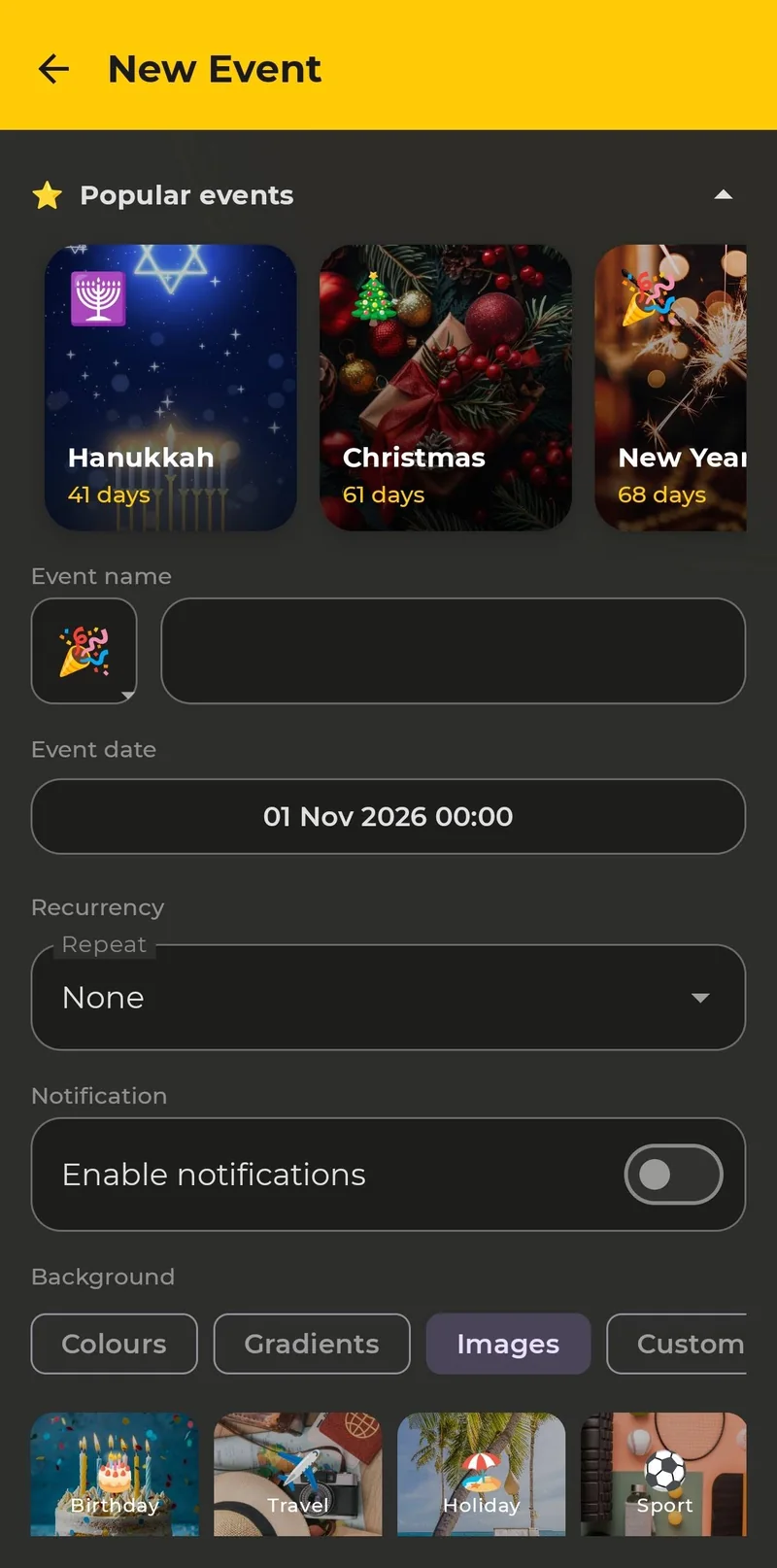
- Tap + on the main screen and choose Popular events.
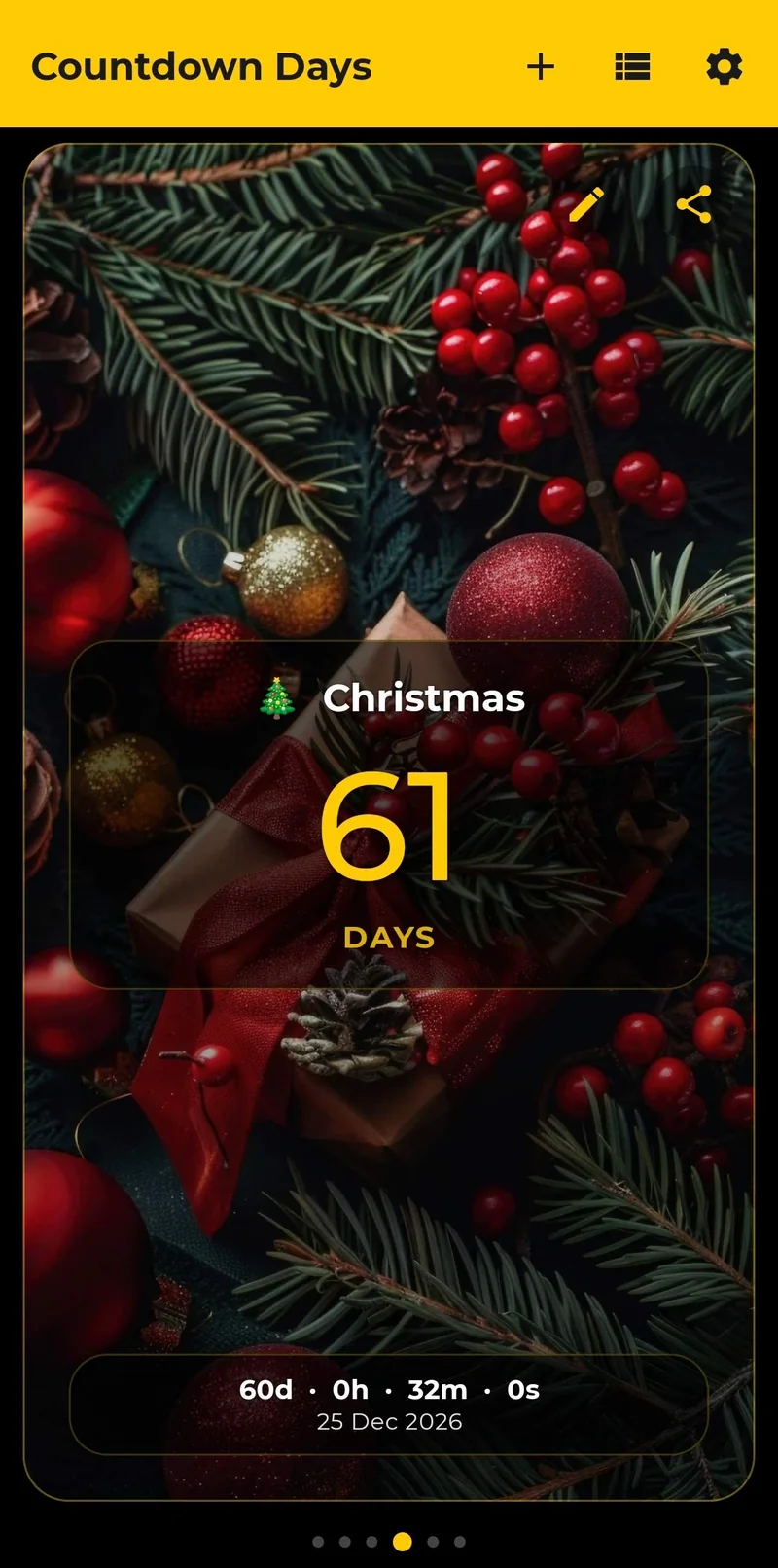
- Pick Christmas. The event comes with its own picture and emoji, and the date is already set to December 25.
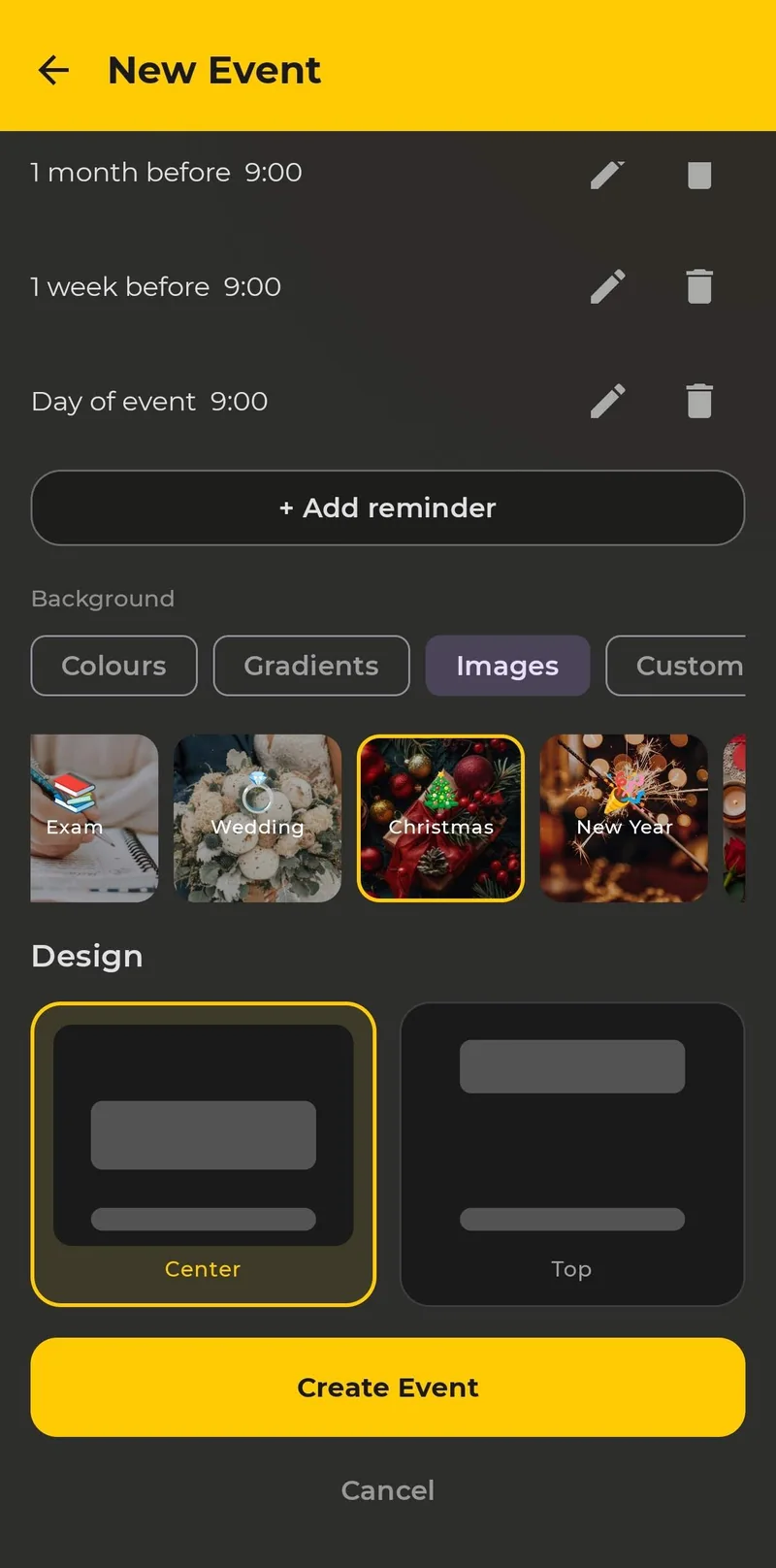
- Optional: choose a different background (Christmas has its own image) and the card layout, Center or Top.
- Long-press an empty spot on your home screen and tap Widgets.
- Find Countdown Days Widget, pick a size and drag it onto the screen, then choose the Christmas event.
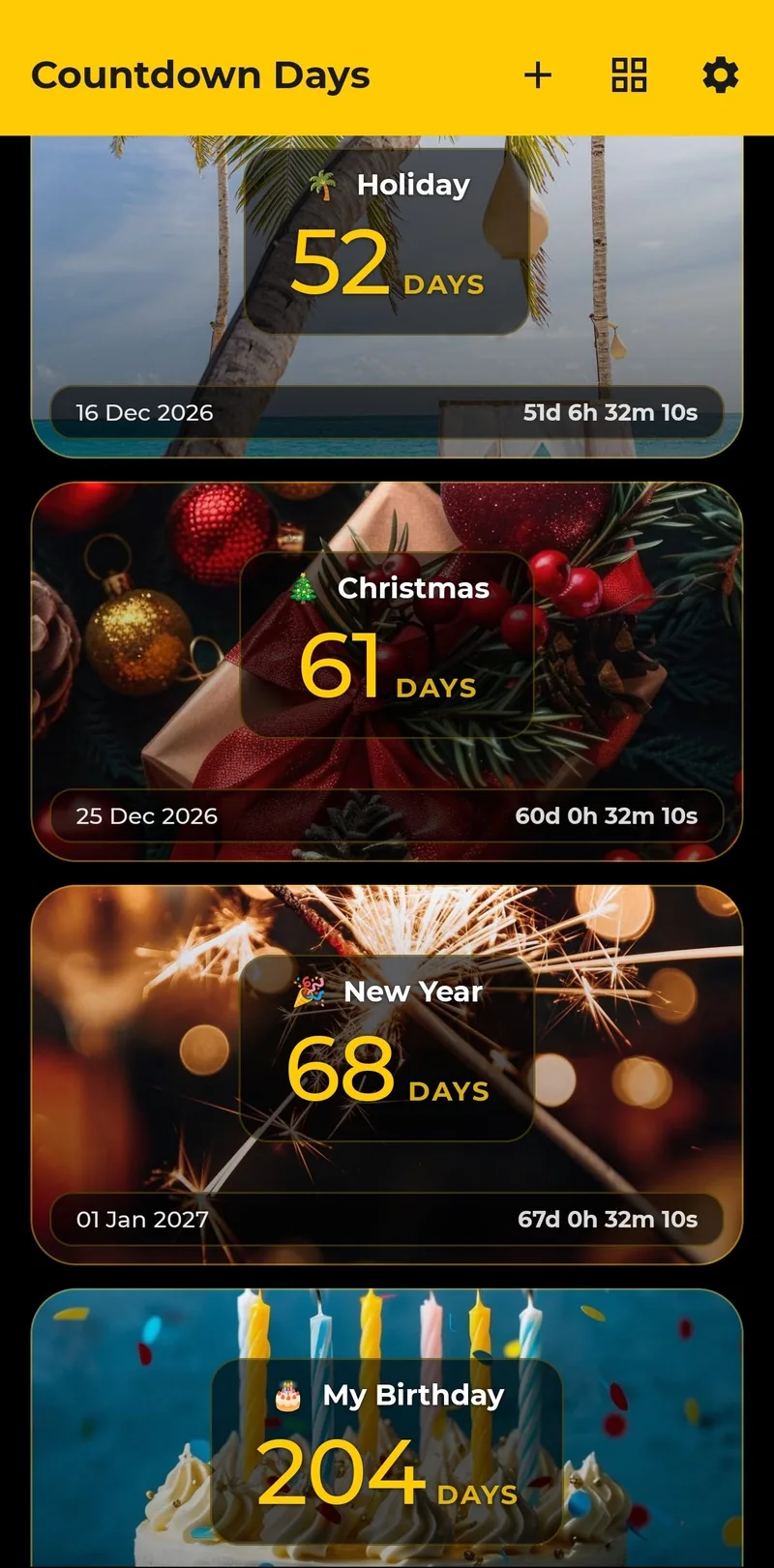
That is all. The widget updates itself and shows how many days are left until Christmas.
Choose a Widget Size
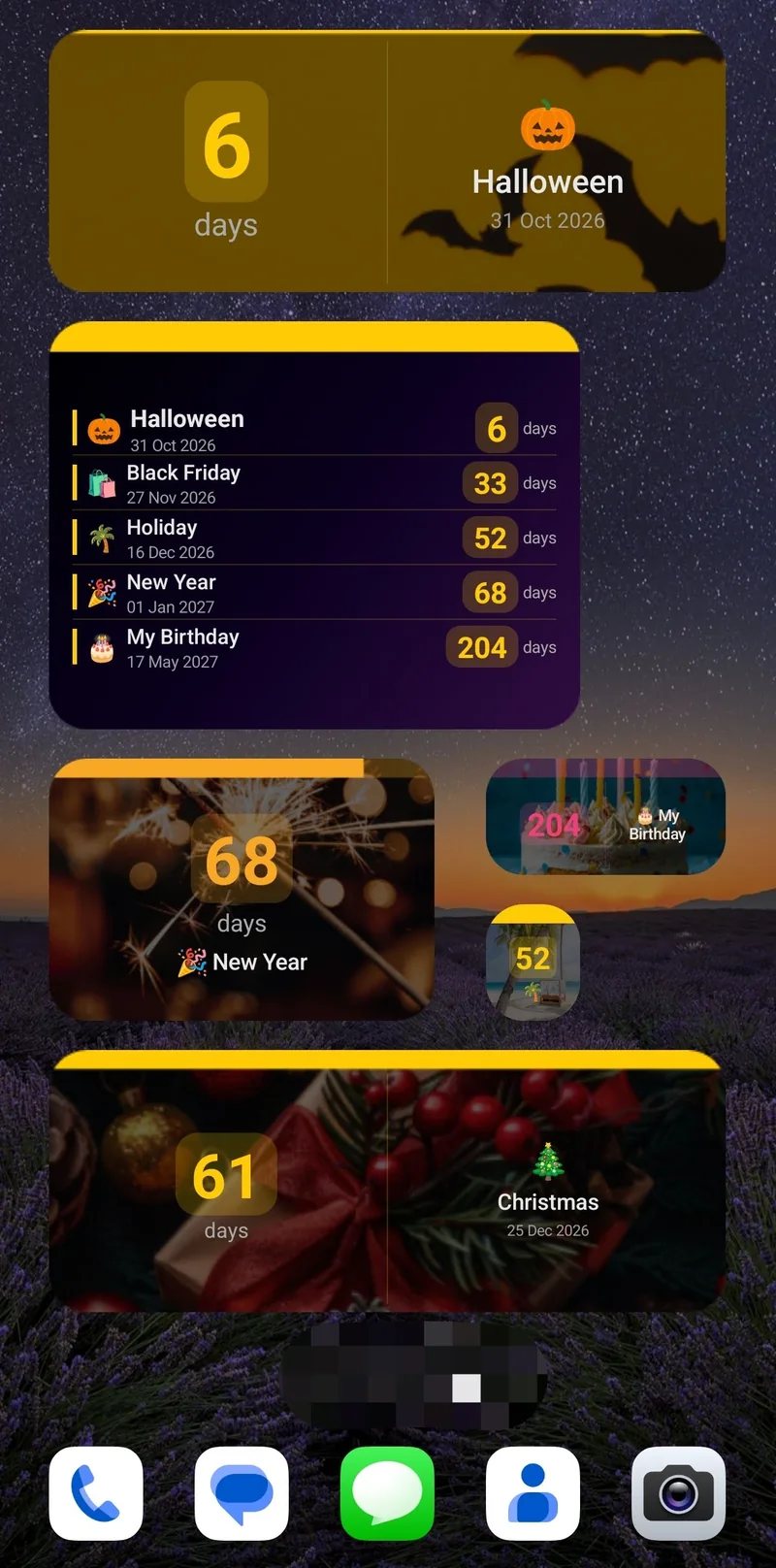
There are five single-event widget sizes: tiny, small, narrow, medium and strip. You can resize each widget by dragging its edges, so a small one fits next to your apps and a larger one can sit alone on a Christmas-themed home screen.
Make It Look Festive
- Background: use colours, gradients, ready-made images or, with Premium, your own photo.
- Emoji: keep the Christmas emoji or choose another one for the card.
- Widget style: the free plan lets you pick a dark or light widget and set the font size; Premium adds accent colours, a progress bar to the event, background opacity and your event photo as the background.
Set a Reminder Before Christmas
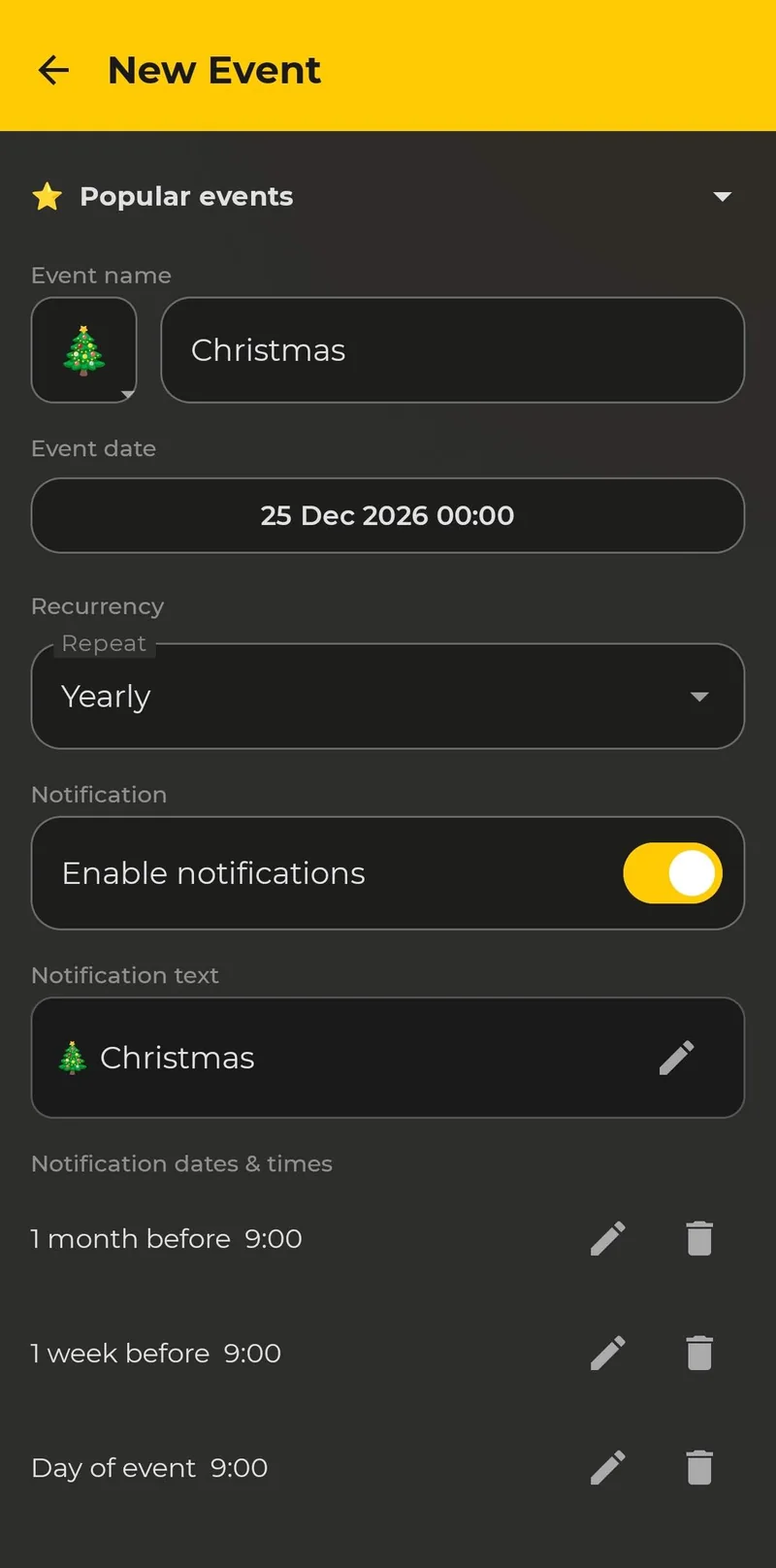
A widget shows the days left, and a reminder tells you when it is time to act: order gifts, book travel, buy the tree. When you pick Christmas, the app fills in the date (25 December), the emoji and the picture, sets Repeat to Yearly and adds reminders 1 month before, 1 week before and on the day, all at 9:00. You can edit or delete each reminder and add your own. The free plan includes 2 reminders per event, and Premium adds more and lets you write your own notification titles.
Repeat the Countdown Every Year
Instead of adding Christmas again each autumn, set the event to repeat every year. After December 25 the countdown rolls over to the next one. Premium also lets you keep unlimited events and widgets.
Count Down to More Than Christmas
The same list has other holidays ready to add, such as New Year, Valentine’s Day, Easter, Halloween, Ramadan, Eid al-Fitr, Diwali, Hanukkah, Chinese New Year, Black Friday and Cyber Monday. For other occasions, see the wedding, birthday and Halloween countdown guides, and the vacation countdown widget and the retirement countdown widget guides. If you want several events on the screen at once, read how to show multiple countdowns on your Android home screen. For general steps on Samsung and Pixel phones, see our guide to adding a countdown widget to your Android home screen, and to compare apps, read the best countdown widget apps for Android.
Free vs. Premium for Your Christmas Countdown
| Free | Premium | |
|---|---|---|
| Events | Up to 4 | Unlimited |
| Home screen widgets | 1 | Unlimited |
| Reminders per event | 2 | More |
| Widget customization | Basic: dark or light, font size, what to show | Full: accent colours, progress bar, opacity, event photo background |
| Ads | Yes | No ads |
Premium comes as a monthly subscription (with a 7-day free trial for eligible new subscribers), a yearly subscription or a one-time lifetime purchase. A trial becomes a paid subscription unless you cancel in Google Play before it ends.
Start your Christmas countdown today
See Countdown Days Widget →You can also go straight to Countdown Days Widget on Google Play.
The season has other dates worth counting down to: see our guides to a Black Friday countdown widget and a New Year countdown widget.
Related reading: Thanksgiving countdown widget.
Frequently Asked Questions
What is the best Christmas countdown widget for Android?
Look for an app that has a ready-made Christmas event, lets you change the look of the widget and can remind you before the date. Countdown Days Widget by MaslonLabs has all three, and the free plan includes 1 widget.
Is there a free Christmas countdown widget for Android?
Yes. The free plan of Countdown Days Widget includes up to 4 events, 1 home screen widget and basic customization, with ads. Premium removes ads and the limits.
Can the Christmas countdown repeat every year?
Yes. You can set the event to repeat every year, so the countdown starts again after Christmas without adding it again.
Can I add a Christmas countdown to my lock screen?
The app provides home screen widgets. Whether your phone lets you place widgets on the lock screen depends on the device and Android version, so check your phone settings.
Can I count down to other holidays too?
Yes. The Popular events list also includes New Year, Valentine’s Day, Easter, Halloween, Ramadan, Eid al-Fitr, Diwali, Hanukkah, Chinese New Year, Black Friday and Cyber Monday, and you can add any date of your own.
Can I get a reminder before Christmas?
Yes. Each event can send reminders daily, weekly, monthly or a set time before the date, each at an exact time. The free plan includes 2 reminders per event.
Is there a free trial for Premium?
The monthly Premium plan has a 7-day free trial for eligible new subscribers. A trial becomes a paid subscription unless you cancel in Google Play before it ends.
Which Android versions are supported?
Countdown Days Widget requires Android 7.0 or newer.