Quick Answer
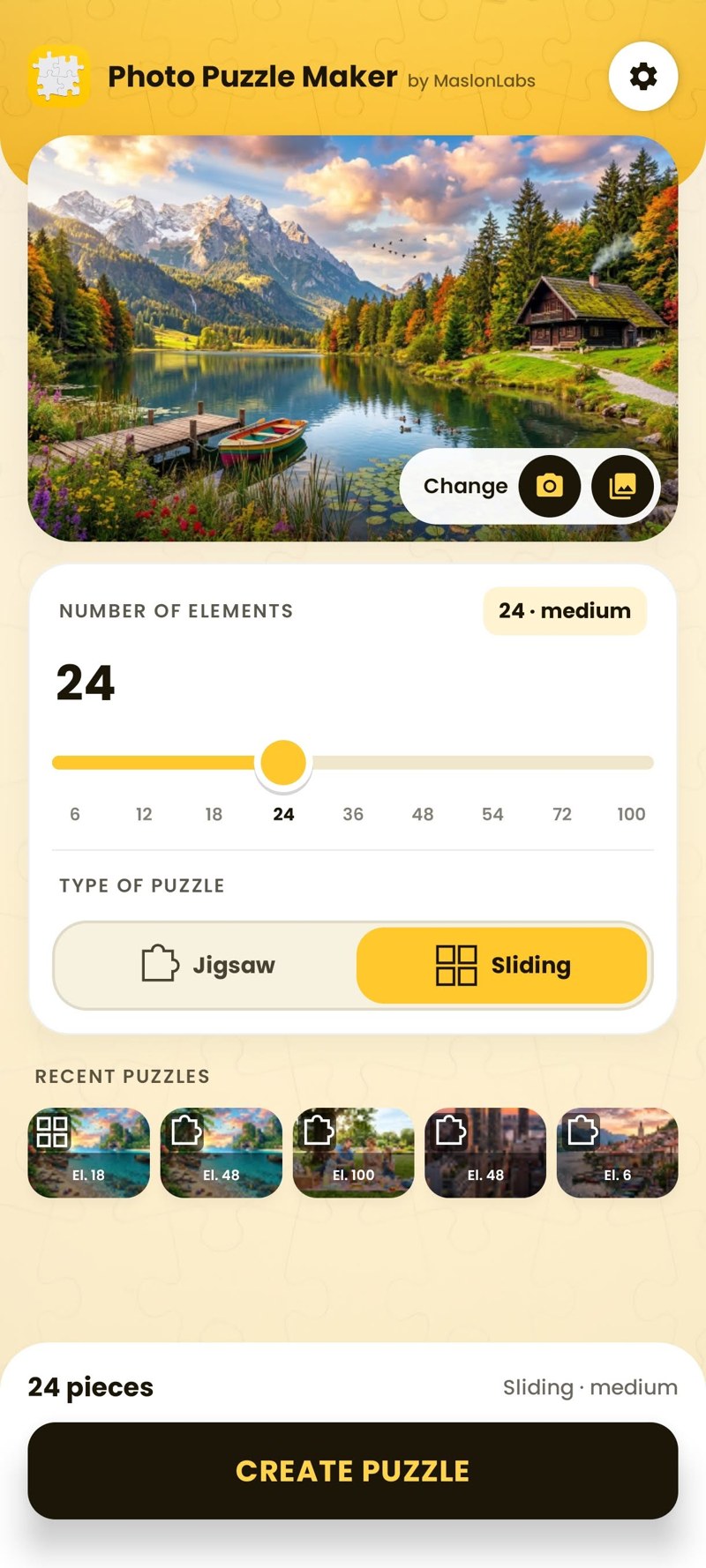
To make a sliding puzzle from your own photo on Android, install Photo Puzzle & Jigsaw Maker by MaslonLabs, pick a photo from your gallery or camera, choose the number of tiles (6 to 100), select Sliding as the puzzle type and tap start. The app cuts your photo into tiles and mixes them. It is free, works offline and your photo never leaves the phone.
Sliding puzzles are older than most video games, but they are far more fun when the picture is yours: your dog, last summer’s beach or a family photo. This guide shows how to turn any photo into a sliding puzzle on an Android phone, which photos work best, how many tiles to choose and how to solve it. Photo Puzzle & Jigsaw Maker is made by MaslonLabs, the publisher of this site.
What Is a Sliding Puzzle?
A sliding puzzle is a picture cut into equal square tiles that are mixed up on a grid. Your job is to move the tiles back until the picture is whole again. The most famous version, the 15-puzzle with numbered tiles on a 4×4 board, became a worldwide craze around 1880. Using a photo instead of numbers makes it easier to start and more satisfying to finish.
Sliding Puzzle vs. Jigsaw Puzzle
| Sliding puzzle | Jigsaw puzzle | |
|---|---|---|
| Pieces | Equal square tiles | Interlocking shapes |
| How you play | Tap tiles to swap them into place | Drag pieces and snap them together |
| What helps you | Only the picture | The picture and the piece shapes |
| Difficulty at the same size | Harder | Easier |
| Best for | Quick logic challenges | Relaxed, longer solves |
Photo Puzzle & Jigsaw Maker includes both types, so you can try the same photo both ways. For the jigsaw version, see our guide on how to turn a photo into a jigsaw puzzle on Android.
How to Make a Sliding Puzzle From a Photo (5 Steps)
- Install the app. Download Photo Puzzle & Jigsaw Maker from Google Play. It works on Android 7.0 or newer and needs no account.
- Choose a photo. Pick one from your gallery or take a new one with the camera.
- Set the number of tiles. Choose 6, 12, 18 or 24 tiles for free, or up to 100 with Premium.
- Select Sliding. On the setup screen, switch the puzzle type from Jigsaw to Sliding.
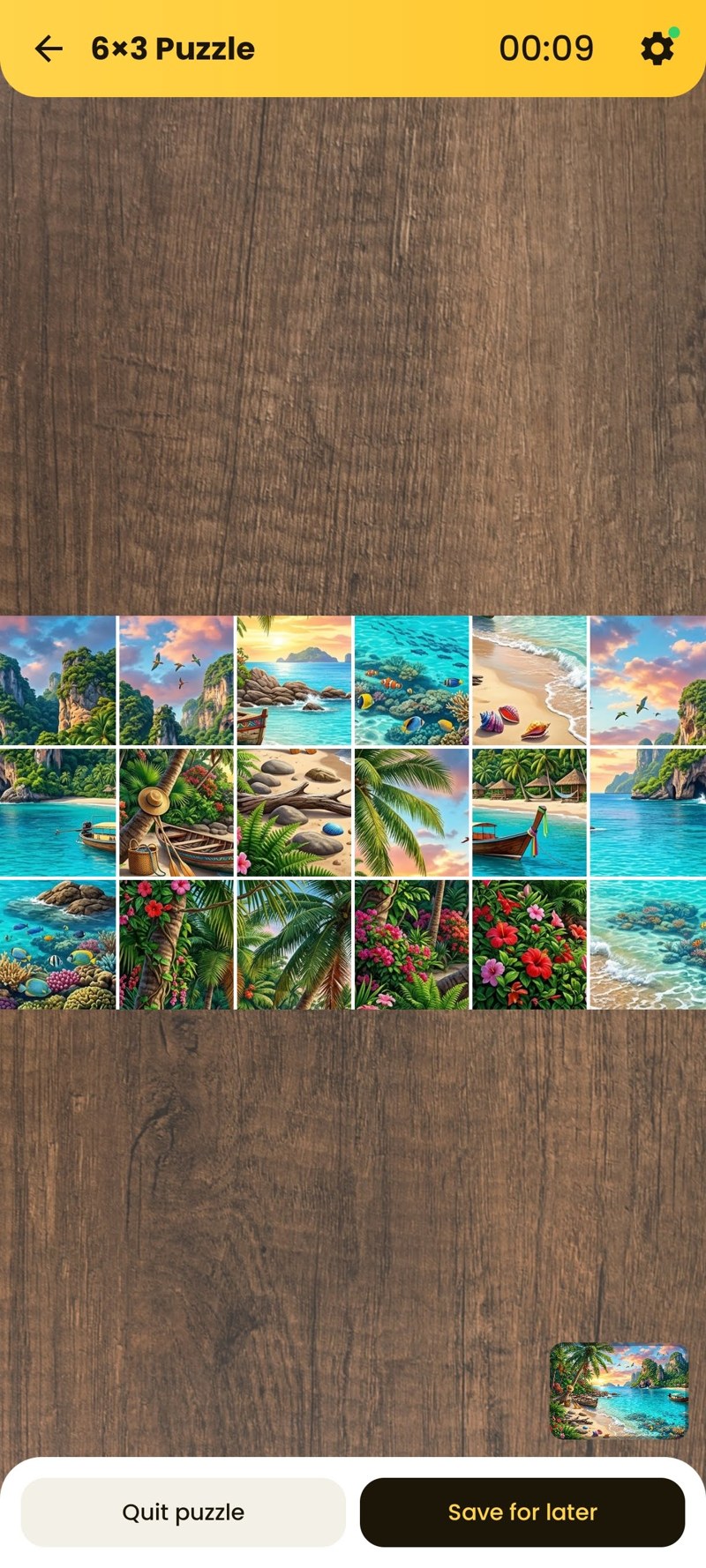
- Play. The photo is cut and mixed. Tap the tiles to swap them until the picture is back together. The app records your time so you can try to beat it.
How Many Tiles Should You Choose?
| Tiles | Difficulty | Good for | Version |
|---|---|---|---|
| 6 | Very easy | A first try, a quick warm-up | Free |
| 12 | Easy | Casual play in a few minutes | Free |
| 18–24 | Medium | Most adults, a short break | Free |
| 36–54 | Hard | Puzzle fans with some patience | Premium |
| 72–100 | Expert | A real challenge on a big screen | Premium |
Sliding puzzles get hard faster than jigsaws, because every tile has the same shape. If 24 jigsaw pieces feel easy, start sliding at 12 and work up.
Which Photos Make the Best Sliding Puzzles?
| Works well | Works badly |
|---|---|
| Faces and pets close up | Large areas of sky, sea or sand |
| Bright, colourful objects | Dark or blurry photos |
| A clear horizon or building lines | Repeating patterns like grass or tiles |
| Photos with text or signs | Very busy crowd shots |
The rule is simple: every tile should look different from its neighbours. The more distinct areas a photo has, the more clues you get.
How to Solve a Sliding Puzzle Faster
- Start with the corners. Corner tiles are the easiest to recognise and give you fixed reference points.
- Finish the top row first. Then work down row by row, so you never have to break what is already done.
- Look for strong features. Eyes, edges, text and bright colours tell you instantly where a tile belongs.
- Leave the sky for last. Plain areas are easiest when only a few tiles are left.
- Replay the same photo. Your best time is saved, so a second attempt shows how much faster you got.
Turn your favourite photo into a sliding puzzle
Try Photo Puzzle & Jigsaw Maker →Ideas: What to Turn Into a Sliding Puzzle
- A family photo for a challenge at the next family dinner.
- Your pet: fur, eyes and a collar make great clues.
- A holiday photo to relive the trip on the way home.
- A screenshot or a map for a tricky challenge with text and lines.
- A Christmas photo for a festive game: see our Christmas games to play with family on your phone.
Free vs. Premium
| Free | Premium | |
|---|---|---|
| Puzzle types | Jigsaw and sliding | Jigsaw and sliding |
| Tiles | 6, 12, 18 and 24 | All sizes, up to 100 |
| Table backgrounds | Light oak, white and black | Extra wood and colour tables |
| Ads | Yes | No ads |
Want to compare it with other apps first? Read our ranking of the best photo puzzle maker apps for Android, or see everything the app does on the Photo Puzzle Maker page.
Frequently Asked Questions
Can I make a sliding puzzle from my own photo?
Yes. In Photo Puzzle & Jigsaw Maker by MaslonLabs, pick a photo from your gallery or take one with the camera, choose the number of pieces, select Sliding as the puzzle type and start. The app cuts your photo into tiles and mixes them up.
What is a sliding puzzle?
A sliding puzzle is a picture cut into square tiles that are mixed up on a grid. You move the tiles until the picture is complete. The best-known version is the 15-puzzle, which became a worldwide craze around 1880.
Is a sliding puzzle harder than a jigsaw?
Usually yes, at the same number of pieces. A jigsaw shows you the shape of every piece, while sliding tiles are all the same shape, so you can only rely on the picture itself. Start with 6 or 12 tiles if you are new to it.
Is the sliding puzzle app free?
Yes. The free version of Photo Puzzle & Jigsaw Maker includes both jigsaw and sliding puzzles with 6, 12, 18 and 24 pieces, with ads. Premium unlocks up to 100 pieces, extra table backgrounds and removes ads.
Does it work offline?
Yes. According to the Google Play listing, photos are processed on your device and never uploaded, and the app works without an internet connection.
What photo works best for a sliding puzzle?
A photo with clearly different areas: a face, a bright object, a horizon or text. Photos with large areas of one colour, like sky or sand, are much harder because many tiles look the same.