Black Friday 2026 falls on Friday, November 27, with Cyber Monday on November 30. If you are waiting to buy something, a widget keeps the date in front of you, and a reminder can make sure you are ready before the best deals go. Setting it up takes a couple of minutes.
Quick Answer
To put a Black Friday countdown on your Android home screen, install a countdown widget app such as Countdown Days Widget by MaslonLabs, add the ready-made Black Friday event from Popular events, then long-press your home screen, tap Widgets and drag the widget on.
Just want the number? See how many days are left until Black Friday with a live countdown in your browser.
How to Add a Black Friday Countdown Widget on Android
These steps use Countdown Days Widget by MaslonLabs, the publisher of this site. See the app page for every feature.
- Install Countdown Days Widget from Google Play and open it.
- Tap + on the main screen and choose Popular events.
- Pick Black Friday, and add Cyber Monday too if you like.
- Optional: choose a background and set your reminders.
- Long-press an empty spot on your home screen and tap Widgets.
- Find Countdown Days Widget, pick a size and drag it onto the screen, then choose the Black Friday event.
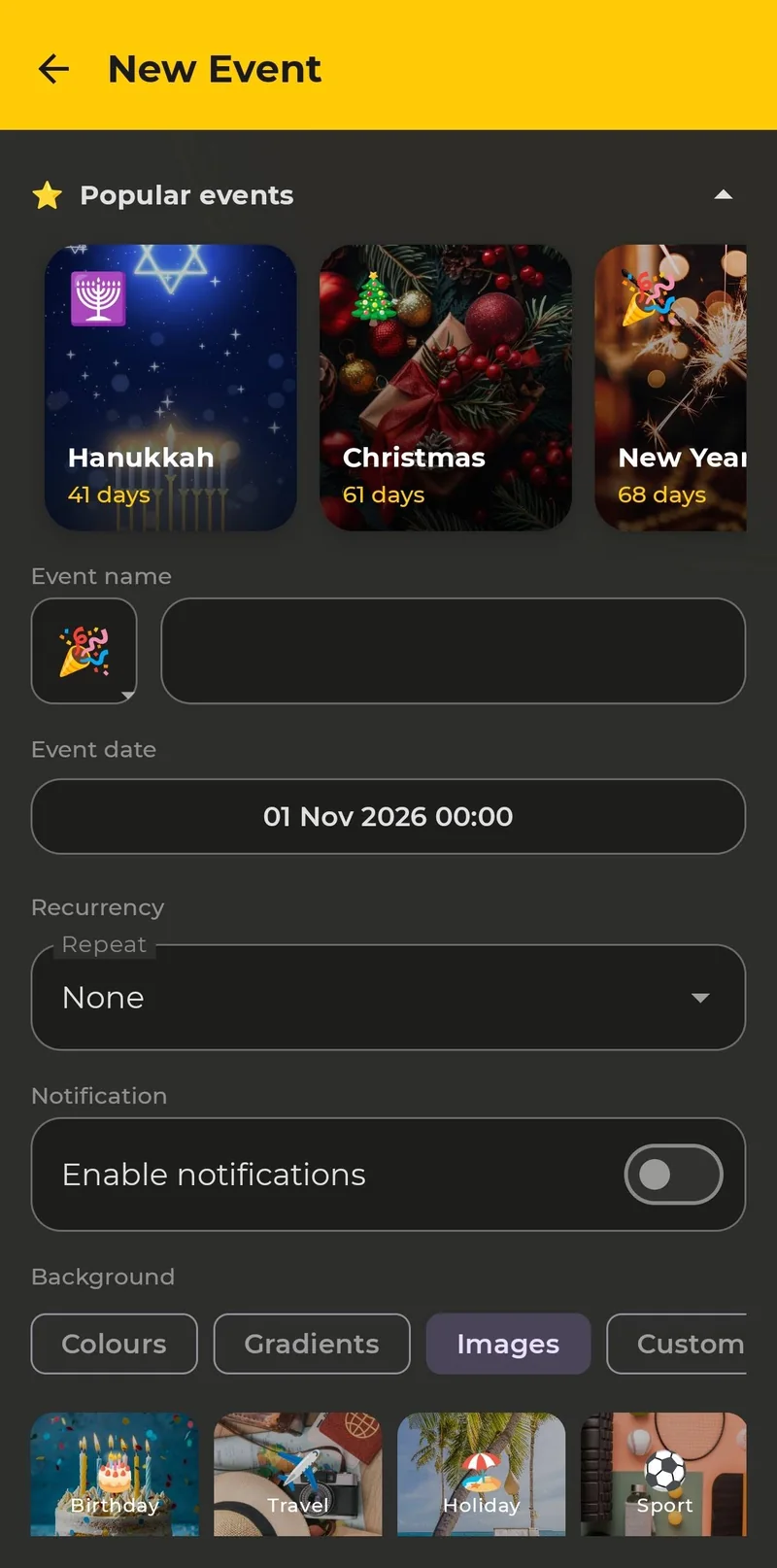
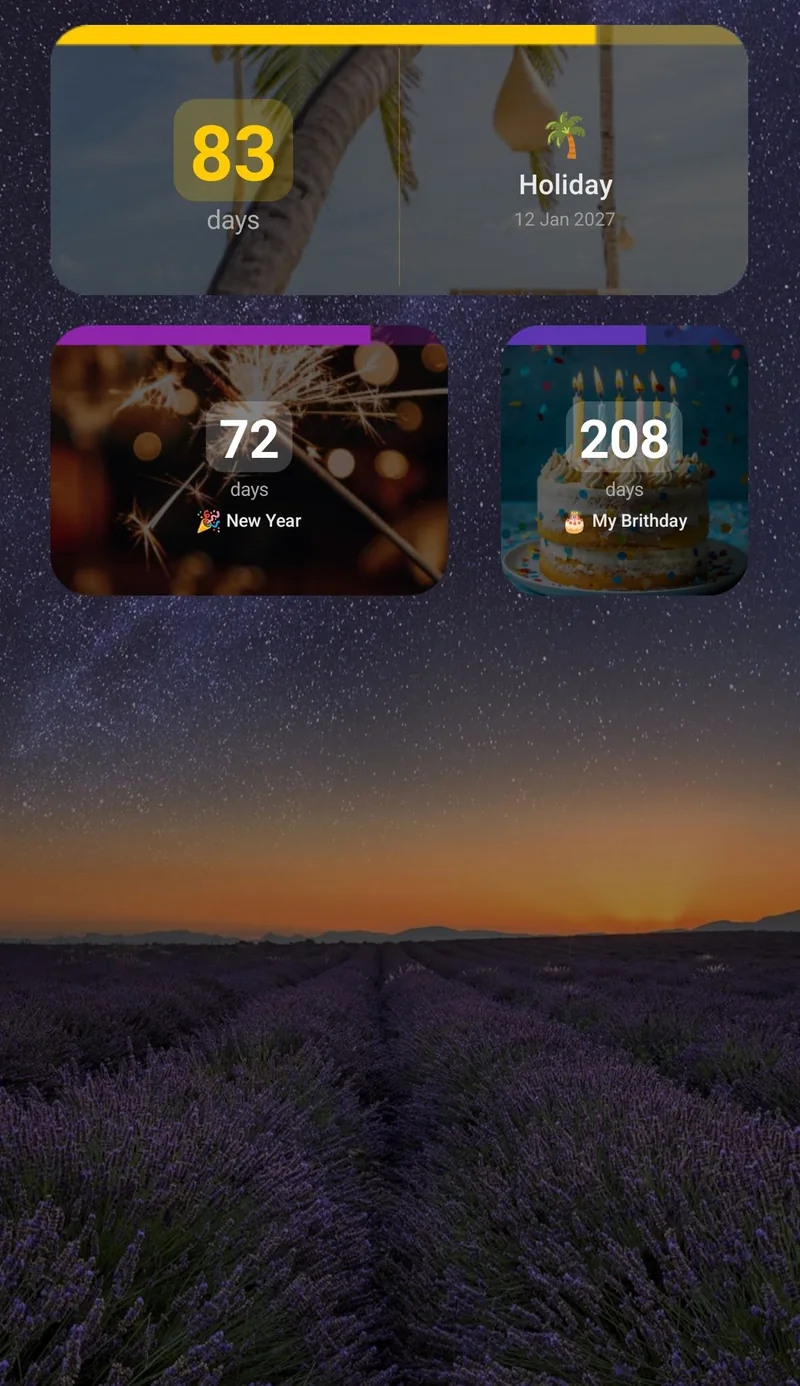
Screenshots show the same app with other events. Black Friday and Cyber Monday are in the same Popular events list.
Set Reminders That Help You Shop Better
Each event can send reminders at an exact time, a set period before the date. The free plan includes 2 reminders per event, so use them for the moments that matter most:
- One to two weeks before: write your list, set a budget and note current prices, so you can tell a real discount from a marketing one.
- A day or two before: check wish lists, saved cards and delivery addresses, and look for early offers from stores you use.
Premium adds more reminders per event, so you could add one for the morning of the sale and another for Cyber Monday.
Track Black Friday and Cyber Monday Together
The free plan lets you keep up to 4 events and 1 home screen widget. To see both sale dates on your home screen at the same time, Premium gives you unlimited widgets and a list widget. Read how to show multiple countdowns on your Android home screen.
Pick a Size and Style
- Sizes: tiny, small, narrow, medium and strip. Resize a widget by dragging its edges.
- Free styling: a dark or light widget, font size and what to show. A dark widget suits Black Friday well.
- Premium styling: accent colours, a progress bar, background opacity and your event photo as the background.
What About Next Year?
Black Friday moves each year, because it is the day after the fourth Thursday in November. If you keep the countdown going, check the date the app shows when the new season comes around. Our general guide covers adding a countdown widget on any Android phone, and you can also compare the best countdown widget apps for Android. Christmas comes soon after, so take a look at our Christmas countdown widget guide as well.
Free vs. Premium
| Free | Premium | |
|---|---|---|
| Events | Up to 4 | Unlimited |
| Home screen widgets | 1 | Unlimited |
| Reminders per event | 2 | More |
| Widget customization | Basic: dark or light, font size, what to show | Full: accent colours, progress bar, opacity, event photo background |
| Repeating events | No | Yes |
| Ads | Yes | No ads |
Premium comes as a monthly subscription (with a 7-day free trial for eligible new subscribers), a yearly subscription or a one-time lifetime purchase. A trial becomes a paid subscription unless you cancel in Google Play before it ends.
Start your Black Friday countdown today
See Countdown Days Widget →You can also go straight to Countdown Days Widget on Google Play.
Related reading: Thanksgiving countdown widget.
Frequently Asked Questions
When is Black Friday 2026?
Black Friday 2026 is on Friday, November 27, the day after Thanksgiving in the United States. Cyber Monday follows on November 30.
Is there a free Black Friday countdown widget for Android?
Yes. The free plan of Countdown Days Widget by MaslonLabs includes up to 4 events, 1 home screen widget and basic customization, with ads, and Black Friday is in its Popular events list.
Can I count down to Cyber Monday as well?
Yes. Cyber Monday is also in the Popular events list. Both events fit on the free plan, but showing two widgets at once needs Premium.
Can I get a reminder before Black Friday?
Yes. Each event can send reminders at an exact time. The free plan includes 2 reminders per event.
Why does the date of Black Friday change?
Black Friday is the day after the fourth Thursday in November, so the date moves each year. It always falls between November 23 and November 29.