Many people like to prepare for Ramadan well before the first fast, whether that means planning meals, adjusting routines or arranging time with family. A widget on your Android home screen keeps the days left in view. Here is how to set it up in a couple of minutes.
Quick Answer
To put a Ramadan countdown on your Android home screen, install a countdown widget app such as Countdown Days Widget by MaslonLabs, add the ready-made Ramadan event from Popular events, then long-press your home screen, tap Widgets and drag the widget on. Ramadan 2027 is expected to begin around February 8, and the final date depends on moon sighting where you live.
When Is Ramadan 2027?
Ramadan 2027 is expected to begin around February 8, 2027, with some sources giving February 7 to 9. Eid al-Fitr is expected around March 9 or 10, 2027, according to Gulf News. The start of the month depends on the sighting of the crescent moon and on local authorities, so dates can differ by a day between countries. Treat any countdown as an estimate until your local announcement.
How to Add a Ramadan Countdown Widget on Android
These steps use Countdown Days Widget by MaslonLabs, the publisher of this site. See the app page for every feature.
- Install Countdown Days Widget from Google Play and open it.
- Tap + on the main screen and choose Popular events.
- Pick Ramadan, and add Eid al-Fitr too if you like.
- Check the date against your local announcement, and use your own date if it differs.
- Long-press an empty spot on your home screen and tap Widgets.
- Find Countdown Days Widget, pick a size and drag it onto the screen, then choose the Ramadan event.
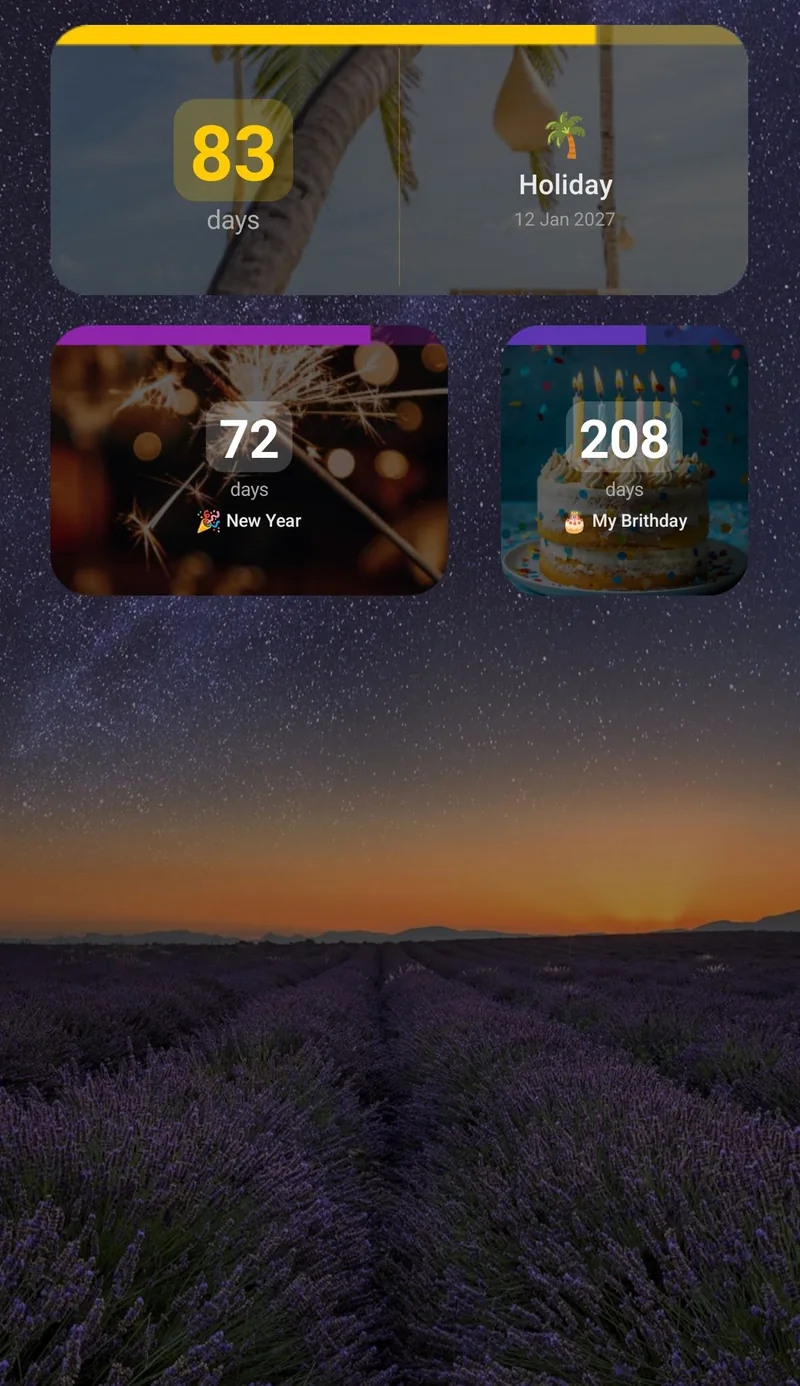
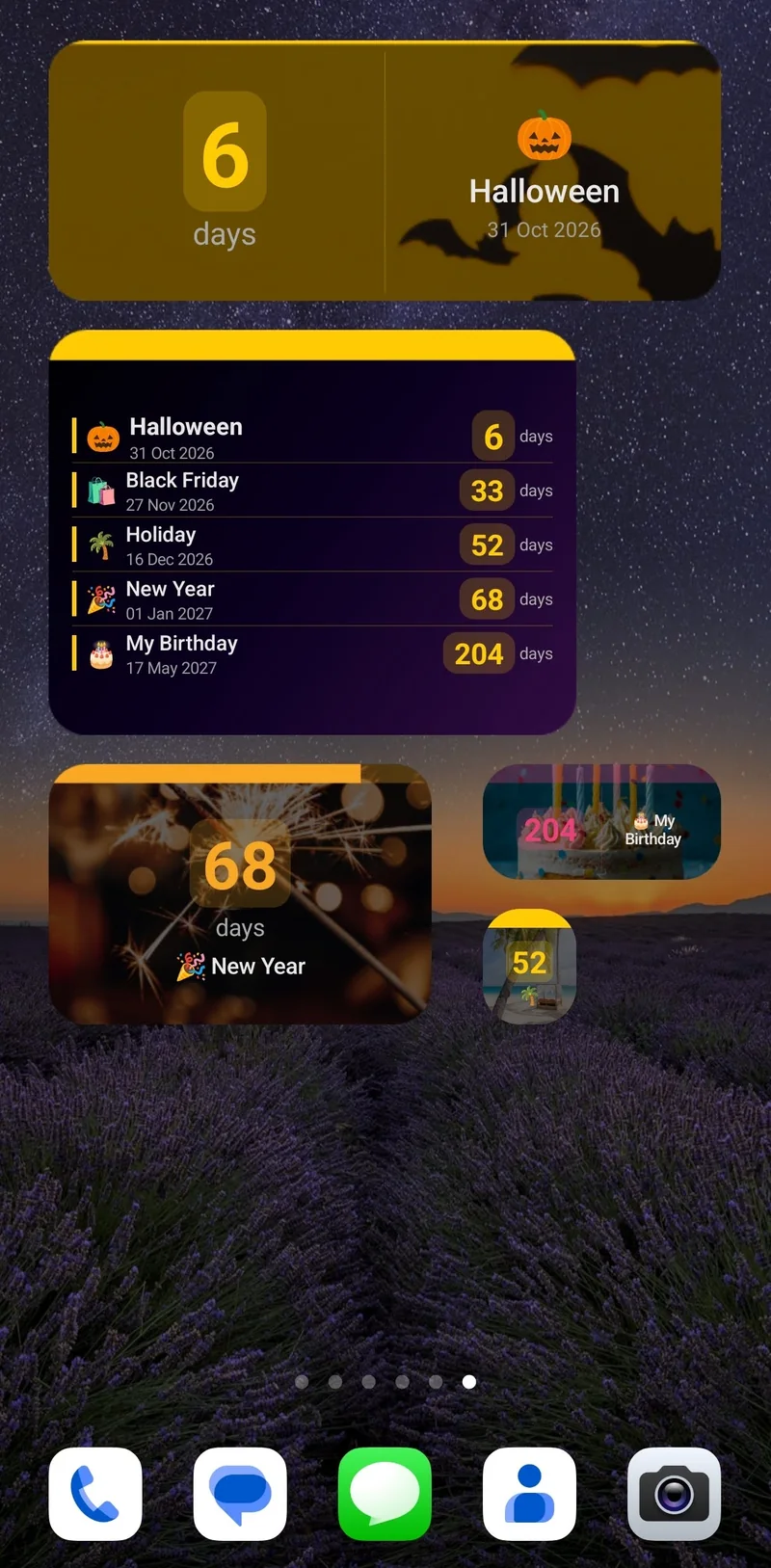
Screenshots show the same app with other events. Ramadan and Eid al-Fitr are in its Popular events list.
Add Eid al-Fitr
Eid al-Fitr is in the same list, so you can follow both dates in one app. The free plan includes up to 4 events and 1 home screen widget, and Premium allows more widgets, including a list widget for several events at once. See how to show multiple countdowns on your Android home screen.
Set Reminders Before Ramadan
Each event can send reminders daily, weekly, monthly or a set time before the date, each at an exact time. The free plan includes 2 reminders per event. Two useful moments are:
- One month before: plan time off, family visits, charity giving and larger shopping.
- One week before: stock the kitchen, plan suhoor and iftar meals, and start adjusting your sleep if that helps you.
The app counts down to dates and is not a prayer-time or fasting-time app. For suhoor and iftar times, use a source based on your location or follow your local mosque.
Choose a Size and Style
- Sizes: tiny, small, narrow, medium and strip. Resize a widget by dragging its edges.
- Free styling: a dark or light widget, font size and what to show.
- Premium styling: accent colours, a progress bar, background opacity and your event photo as the background.
Other Dates to Count Down To
You can add dates that matter to you, including family events, as your own countdowns. For layouts and ideas, read our general guide on adding a countdown widget to your Android home screen, or compare the best countdown widget apps for Android. For a quick answer in your browser, use our days until date calculator.
Free vs. Premium
| Free | Premium | |
|---|---|---|
| Events | Up to 4 | Unlimited |
| Home screen widgets | 1 | Unlimited |
| Reminders per event | 2 | More |
| Widget customization | Basic: dark or light, font size, what to show | Full: accent colours, progress bar, opacity, event photo background |
| Repeating events | No | Yes |
| Ads | Yes | No ads |
Premium comes as a monthly subscription (with a 7-day free trial for eligible new subscribers), a yearly subscription or a one-time lifetime purchase. A trial becomes a paid subscription unless you cancel in Google Play before it ends.
Start your Ramadan countdown
See Countdown Days Widget →You can also go straight to Countdown Days Widget on Google Play.
Frequently Asked Questions
When does Ramadan 2027 start?
Ramadan 2027 is expected to begin around February 8, 2027, with some sources giving February 7 to 9. The final date depends on moon sighting and local authorities.
When is Eid al-Fitr 2027?
Eid al-Fitr 2027 is expected around March 9 or 10, depending on the sighting of the crescent moon. Check your local announcement for the confirmed date.
Is there a free Ramadan countdown widget for Android?
Yes. The free plan of Countdown Days Widget by MaslonLabs includes up to 4 events, 1 home screen widget and basic customization, with ads, and Ramadan is in its Popular events list.
Does the widget update if the moon sighting changes the date?
A countdown can only follow the date saved in the app. Once the date is confirmed where you live, check that it matches, and use your own date if it differs.
Does the app show suhoor and iftar times?
No. Countdown Days Widget counts down to dates. For suhoor and iftar times, use a source based on your location or follow your local mosque.