Your phone is full of photos worth more than a quick scroll: a holiday, a pet, a family day. With a puzzle maker app you can turn any of them into a puzzle in a few taps, and solve it on your phone. Here is how it works in Photo Puzzle & Jigsaw Maker, and what you get for free.
Quick Answer
To make a puzzle from a photo on Android, install a puzzle maker app such as Photo Puzzle & Jigsaw Maker by MaslonLabs, add a photo from your gallery or camera, choose 6 to 100 pieces and tap Create Puzzle. You can solve it as a jigsaw or a sliding puzzle, offline.
A Digital Puzzle, Not a Printed One
This app makes a puzzle that you solve on your phone screen. It does not print one or ship you a box of cardboard pieces. If you want a physical puzzle, you need a print service for that. The advantage of a digital one is that it is instant: no waiting, no missing pieces, and you can make a new puzzle from any photo whenever you like.
How to Make a Puzzle From a Photo
Photo Puzzle & Jigsaw Maker is made by MaslonLabs, the publisher of this site. See the app page for every feature.
- Install Photo Puzzle & Jigsaw Maker by MaslonLabs from Google Play and open it.
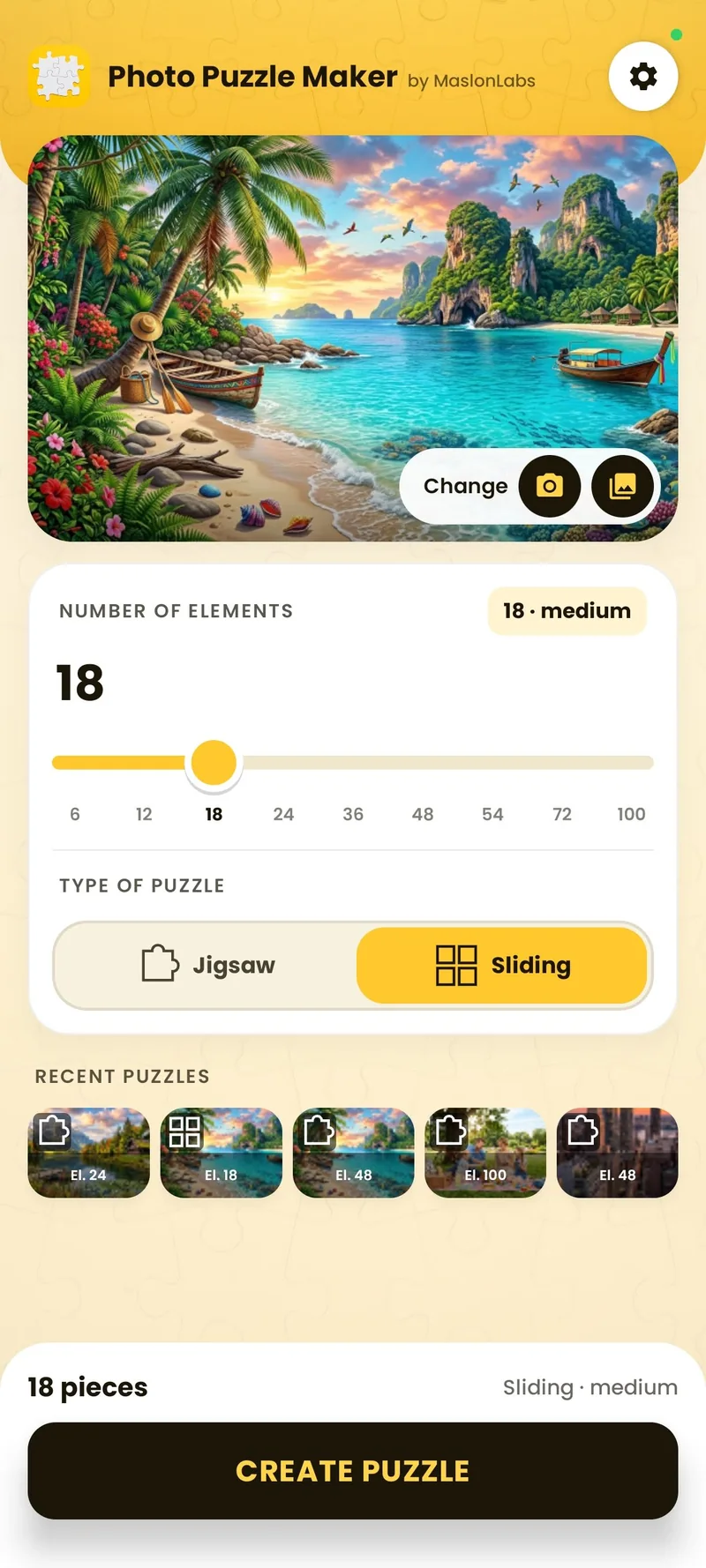
- Tap Add photo and choose a picture from your gallery, or take a new one with the camera.
- Under Number of elements, move the slider to the number of pieces you want: 6, 12, 18, 24, 36, 48, 54, 72 and 100.
- Under Type of puzzle, choose Jigsaw (drag and snap) or Sliding (tap to swap).
- Tap Create Puzzle and start solving.
Jigsaw or Sliding Puzzle?
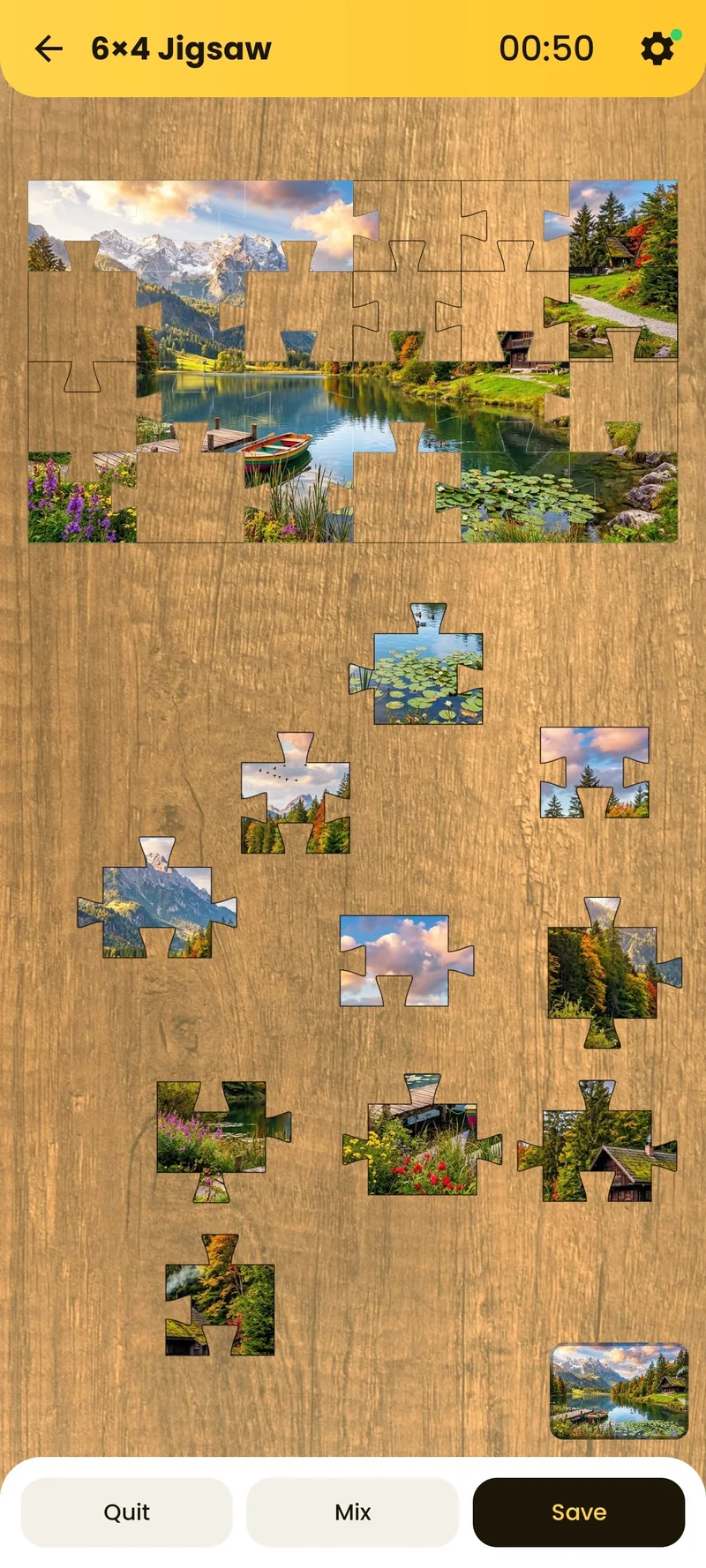
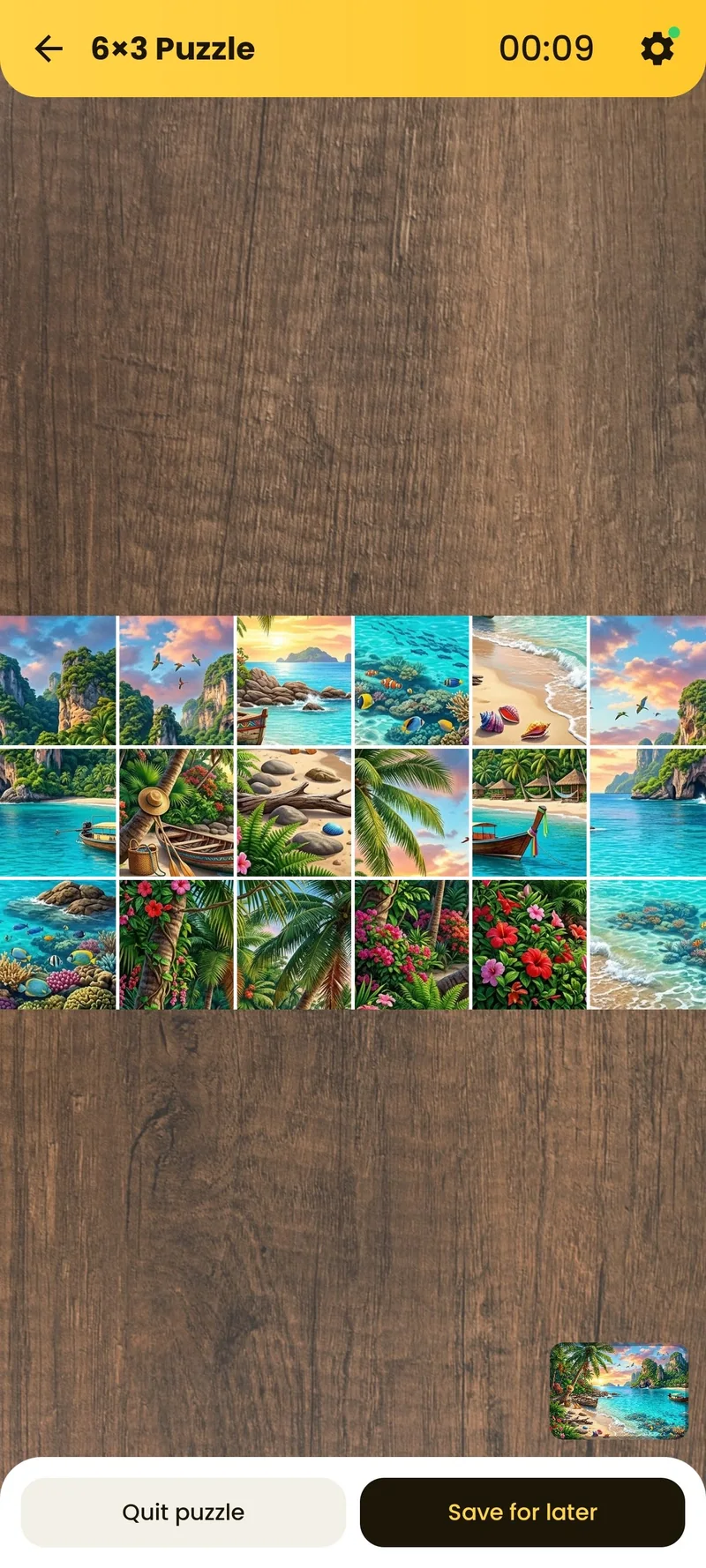
Jigsaw is the classic puzzle: the photo is cut into interlocking pieces that you drag and snap into place on a table. Sliding cuts the photo into tiles that you tap to swap until the picture is back together, like the classic 15-puzzle. You pick the type on the home screen, so you can try both with the same photo. For tips on the sliding mode, see how to make a sliding puzzle from your own photo.
Choose the Number of Pieces
The app offers 6, 12, 18, 24, 36, 48, 54, 72 and 100 pieces. A small puzzle of 6 to 12 pieces suits young children, 18 to 36 pieces is a relaxed solve for most people, and 48 to 100 pieces is a real challenge. The free version includes 6, 12, 18 and 24 pieces, and Premium unlocks all sizes. For tips on picking the photo and the size, see our guide to turning a photo into a jigsaw puzzle on Android.
Pick Your Table
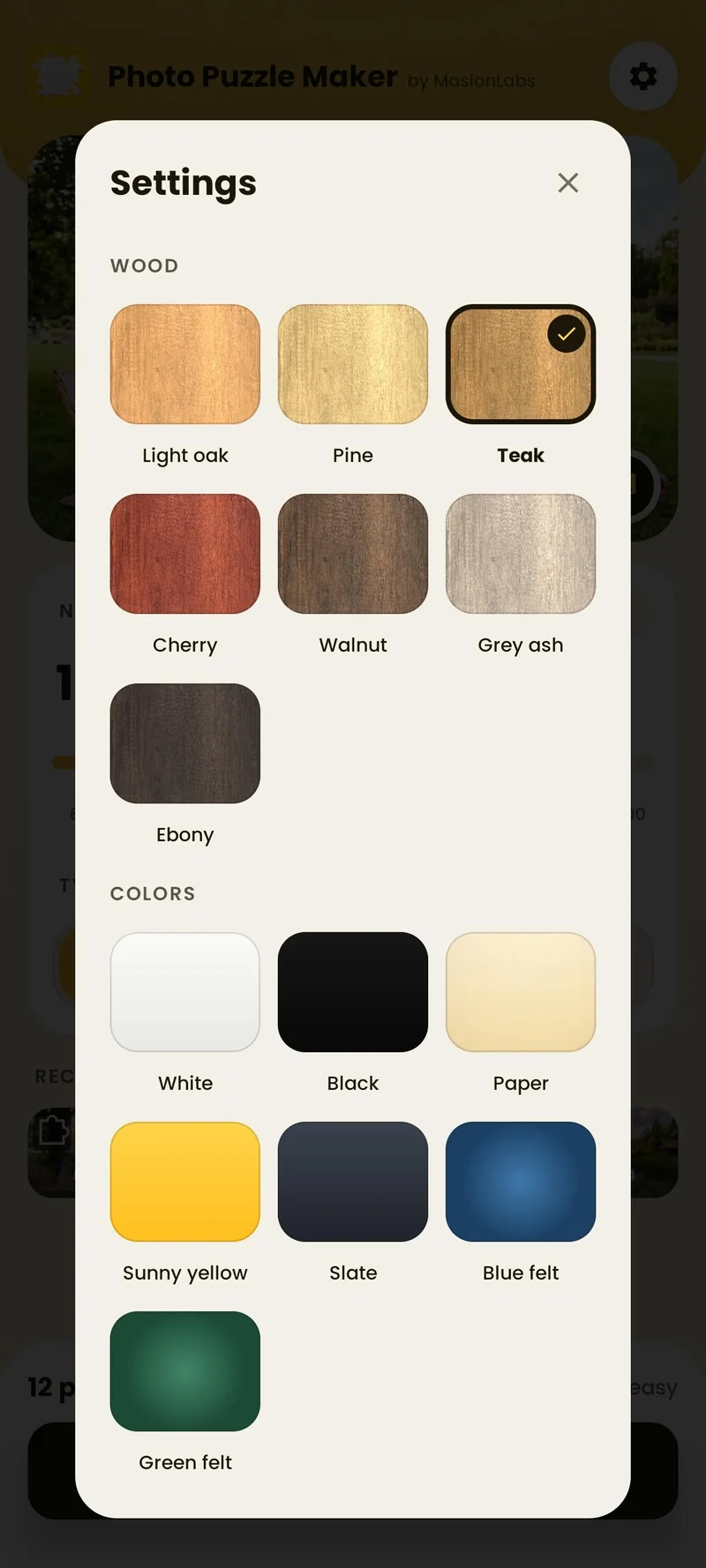
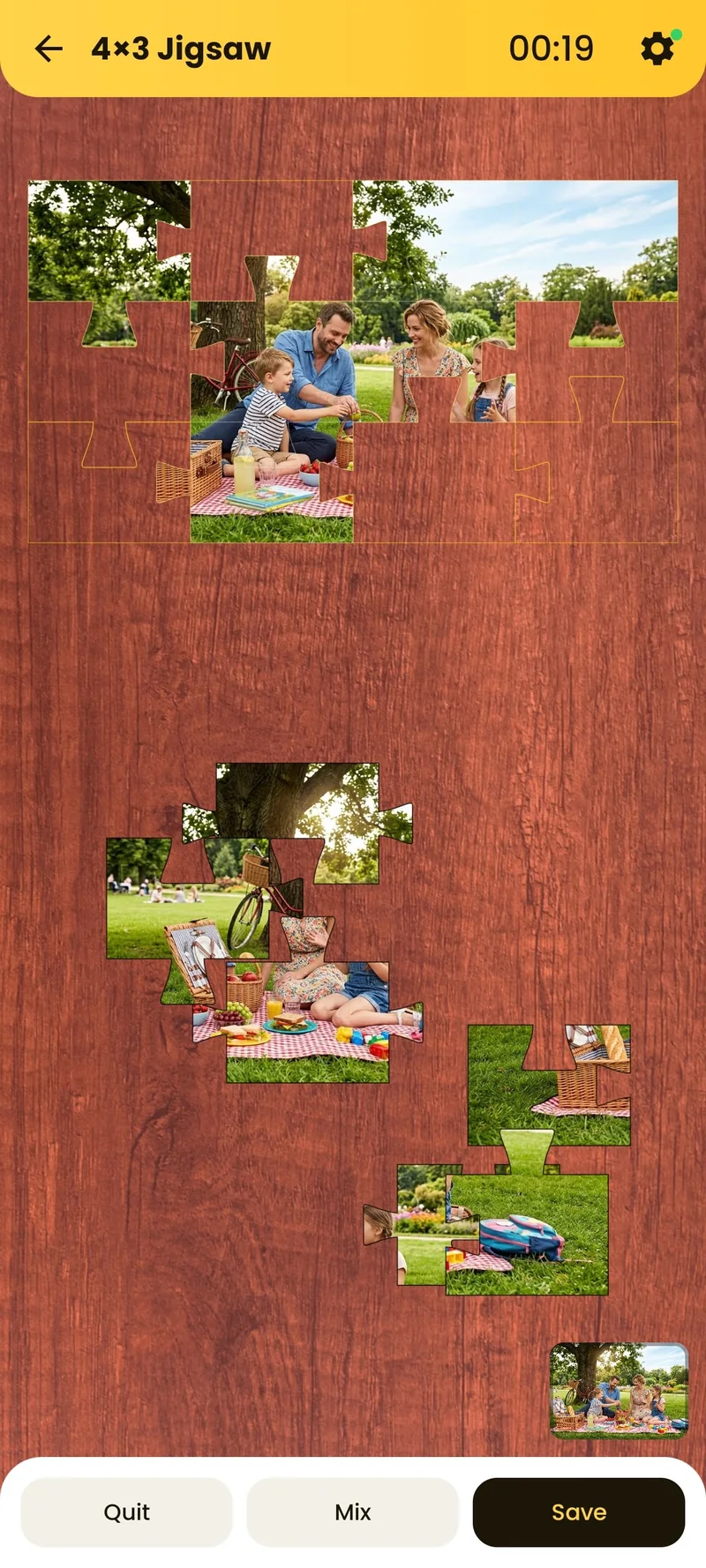
The puzzle sits on a table that you can change in the settings: light oak, pine, teak, cherry, walnut, grey ash and ebony wood, or plain colours such as white, black, paper, sunny yellow, slate, blue felt and green felt. The free version includes light oak, white and black, and Premium adds the rest.
Save, Replay and Share
- Best times: the app keeps your best time, so you can try to beat it.
- Saved puzzle: your progress is saved automatically when you leave, and you can continue later. The app keeps one saved puzzle at a time.
- Recent puzzles: your latest puzzles appear on the home screen, so you can play one again. Premium keeps the full history.
- Share: when you finish, share your result as an image.
Private and Offline
According to the Google Play listing, your photos are processed locally on your device and never uploaded to a server, and the app works offline. It runs on Android 7.0 or newer, and you can change the language in the settings.
Free vs. Premium
| Free | Premium | |
|---|---|---|
| Pieces | 6, 12, 18 and 24 | All sizes, up to 100 |
| Puzzle types | Jigsaw and sliding | Jigsaw and sliding |
| Table backgrounds | Light oak, white and black | Extra wood and colour tables |
| Recent puzzles | Recent puzzles | Full history |
| Ads | Yes | No ads |
Premium comes as a monthly or yearly subscription, or a one-time lifetime purchase. Subscriptions renew until you cancel in Google Play.
Turn your photo into a puzzle
See Photo Puzzle & Jigsaw Maker →You can also go straight to Photo Puzzle & Jigsaw Maker on Google Play. Comparing apps? Read our ranking of the best photo puzzle maker apps for Android.
Frequently Asked Questions
How do I make a puzzle from a photo on Android?
Install a puzzle maker app such as Photo Puzzle & Jigsaw Maker by MaslonLabs, add a photo from your gallery or take one with the camera, choose the number of pieces and the puzzle type, and tap Create Puzzle.
Does the app print a real puzzle?
No. Photo Puzzle & Jigsaw Maker makes a digital puzzle that you solve on your phone. It does not print or ship a cardboard puzzle.
Do my photos leave my device?
No. According to the Google Play listing, your photos are processed locally on your device and are never uploaded to a server.
How many pieces can I choose?
You can choose 6, 12, 18, 24, 36, 48, 54, 72 or 100 pieces. The free version offers 6, 12, 18 and 24 pieces, and Premium unlocks all sizes.
What puzzle types are available?
Jigsaw, where you drag pieces and they snap into place, and Sliding, where you tap tiles to swap them, like the classic 15-puzzle.
Can I continue a puzzle later?
Yes. Your progress is saved automatically when you leave a puzzle, and you can continue it later. The app keeps one saved puzzle at a time.
Does it work offline?
Yes. The app works without an internet connection.
Is Photo Puzzle Maker free?
Yes, it is free to download and play, with ads. Premium removes ads and unlocks all puzzle sizes, extra table backgrounds and the full history of recent puzzles.
Which Android versions are supported?
The app requires Android 7.0 or newer.