
Most “AI for SEO” advice is still about writing better prompts. The bigger unlock is giving your AI assistant direct, live access to the tools you already use — so you can ask it a real question about your real data instead of copy-pasting exports back and forth. That’s what MCP (Model Context Protocol) servers do. Here are the ones actually worth setting up if you do SEO work. (Not to be confused with WebMCP, a different, website-facing standard we covered separately — this article is about connecting an AI assistant like Claude to your existing tools, not making your own site agent-readable.)
Quick Answer
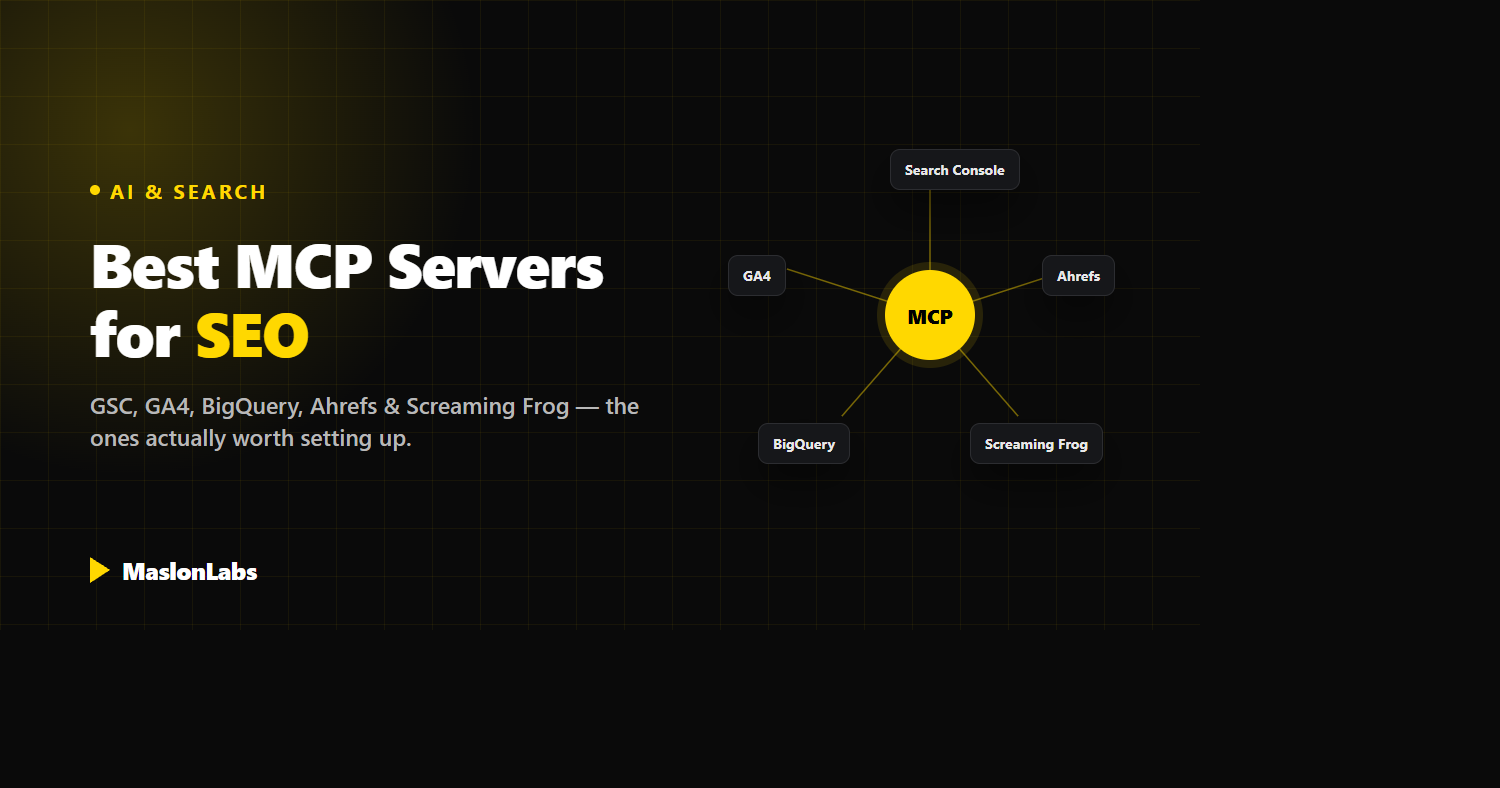
The MCP servers worth setting up first: Google Search Console plus one all-in-one platform (Ahrefs, Semrush, SE Ranking, or Senuto — pick one for your market) for day-to-day SEO questions, BigQuery once you’re working with log files or data past GSC’s limits, Screaming Frog for technical crawls, and Chrome DevTools for Core Web Vitals debugging. GA4 is a useful add-on once those are wired up.
What Makes a Good MCP Server for SEO Work?
A few things worth checking before you connect any tool to an AI assistant:
- Official vs. community. An official server (built and maintained by the tool vendor) tends to be more stable and less likely to break on an API update. A community server can still be excellent — just check when it was last updated.
- Read-only vs. write access. Some servers can only fetch data; others can change things (submit sitemaps, edit properties). Know which one you’re installing.
- Hosted vs. self-run. A hosted, remote MCP endpoint needs no local setup. A self-run one usually means cloning a repo and supplying your own API credentials.
The Core MCP Servers Worth Setting Up
| Tool | Type | Best For |
|---|---|---|
| Google Search Console | Community | Query-level search performance, indexing status, sitemap health |
| An all-in-one SEO platform | Mostly official (hosted) | Backlinks, keywords, rank tracking, competitor & AI-visibility data |
| BigQuery | Official (hosted, Google Cloud) | Large-scale log files and data past what GSC’s UI can show |
| Screaming Frog | Official (built into SEO Spider v24+) | Technical crawls and site audits, run and summarized in plain language |
| Chrome DevTools | Official (Google Chrome team) | Live performance debugging and Lighthouse / Core Web Vitals audits |
Google Search Console (Community)
As far as we could find (checked October 7, 2026), there is no official Google-built GSC MCP server, but several solid community options exist — AminForou/mcp-gsc and ahonn/mcp-server-gsc are two well-documented ones, alongside hosted/managed options like Markifact. Once connected, you can ask your AI assistant things like “which queries lost the most clicks this month” or “which URLs are excluded from the index and why” without opening the GSC UI at all.
An All-in-One SEO Platform (Pick One)
This is the category with the most options, and you only need one. Four solid choices, all with a hosted MCP server — no local install:
- Ahrefs (official, Lite plan+) — the deepest global backlink index, plus Brand Radar, which tracks how AI chatbots mention your brand. A direct, measurable link to the GEO work in our GEO guide.
- Semrush (official, hosted) — the broadest all-in-one suite if you also run paid search alongside SEO.
- SE Ranking (official, hosted) — 160+ tools including AI search visibility and ready-made “Claude Skills” for things like share-of-voice in AI answers and backlink-gap analysis. The most affordable entry point of the four.
- Senuto (official, hosted) — the strongest choice if your market is Poland or CEE. Its visibility and keyword data for Polish search is more accurate and complete than any global tool’s, which matters a lot if that’s where your clients are.
Realistically: Ahrefs or Semrush if you need global reach and already know the tool, SE Ranking if budget matters and you want AI-visibility reporting out of the box, Senuto if the Polish market is your main focus. We use a mix depending on the client.
BigQuery (Official)
Google Cloud ships an official, hosted BigQuery MCP server (endpoint bigquery.googleapis.com/mcp, with OAuth sign-in and a read-only SQL tool that only allows SELECT statements) with no separate install — it authenticates through the same Google Cloud IAM you already use. It matters for SEO once you’re working with data at a scale GSC’s interface can’t handle: full log-file analysis, historical crawl data, or anything you’re already exporting into a warehouse. Ask your AI assistant to write and run the SQL for you instead of hand-building queries.
Screaming Frog (Official)
Screaming Frog added an official MCP to SEO Spider itself in version 24.0, released on May 19, 2026, letting you trigger and interpret crawls in plain language instead of clicking through the desktop app. You still need SEO Spider installed with a valid license for full functionality — the free tier caps out at 500 URLs. Community alternatives exist too if you want a lighter, headless setup for scheduled or unattended crawls.
Chrome DevTools (Official)
Maintained directly by Google’s Chrome DevTools team, this one lets an AI assistant drive a real Chrome instance — taking screenshots, reading console and network output, and running full Lighthouse audits on command. For technical SEO work centered on Core Web Vitals and page experience, it turns “check why this page is slow” into an actual conversation instead of a manual audit.
Also Worth a Look: GA4
Google publishes an official, experimental Google Analytics MCP server (Apache-2.0, Python) that uses the Analytics Admin and Data APIs to list accounts and properties and run reports, including funnel reports. It was updated as recently as October 2, 2026. It is useful once you want behavior data alongside search performance. (An older community GA4 server, ruchernchong/mcp-server-google-analytics, has been archived, so we no longer recommend it.)
MCP Servers for SEO at a Glance (Checked October 7, 2026)
We checked each project on GitHub or in the vendor’s documentation on October 7, 2026. Stars and update dates change, so use them as a guide to how actively a project is maintained.
| Server | Maintainer | Details |
|---|---|---|
| Google Search Console: AminForou/mcp-gsc | Community | Python, MIT license, about 1.9K GitHub stars, last updated September 15, 2026 |
| Google Search Console: ahonn/mcp-server-gsc | Community | TypeScript, about 280 GitHub stars, last updated September 4, 2026, no license listed |
| Google Analytics: googleanalytics/google-analytics-mcp | Official (Google, experimental) | Python, Apache-2.0, about 3.4K GitHub stars, last updated October 2, 2026 |
| BigQuery remote MCP server | Official (Google Cloud) | Endpoint bigquery.googleapis.com/mcp, OAuth sign-in, read-only SQL (SELECT only) |
| Chrome DevTools: ChromeDevTools/chrome-devtools-mcp | Official (Chrome DevTools team) | Apache-2.0, about 53K GitHub stars, last updated October 7, 2026 |
| Screaming Frog SEO Spider | Official | Built into SEO Spider 24.0 (May 19, 2026); needs SEO Spider installed |
| Ahrefs | Official (hosted) | Available on the Lite plan or higher; remote endpoint at api.ahrefs.com/mcp/mcp |
| Semrush | Official (hosted) | Remote endpoint at mcp.semrush.com/v1/mcp; connect with your Semrush account |
Prefer to skip the server? You can also connect Search Console through the API with a service account and a short script. See our step-by-step guide on how to connect Google Search Console to Claude.
A Realistic Workflow: Chaining These Together
The real value shows up when you stack them in one session. A concrete example: ask your assistant which queries in Search Console lost the most clicks over the last 90 days, cross-reference those URLs against a BigQuery table of historical rankings to see when the drop started, then kick off a Screaming Frog crawl on just those URLs to check for a technical cause — broken redirects, slow load times, a botched migration. That used to be three separate tools, three exports, and a spreadsheet. Now it’s one conversation.
Security & Access Considerations
Connecting real accounts to an AI assistant is not risk-free. A few habits worth adopting:
- Use read-only scopes wherever a tool offers them — most day-to-day SEO questions don’t need write access.
- Don’t leave a write-capable MCP server connected to an unattended or scheduled agent without limits — a bad instruction submitting the wrong sitemap or editing the wrong property is a real failure mode.
- Treat API keys for these servers the way you’d treat any other production credential — scoped, rotated, and not shared in a prompt or a shared workspace.
Frequently Asked Questions
What are the best MCP servers for SEO?
Start with Google Search Console plus one all-in-one SEO platform (Ahrefs, Semrush, SE Ranking or Senuto). Add BigQuery for large data, Screaming Frog for technical crawls and Chrome DevTools for Core Web Vitals debugging. Google Analytics has an official experimental server as well.
Is there an official Google Search Console MCP server?
As far as we could find on October 7, 2026, there is no official Google-built Search Console MCP server. The most used community options are AminForou/mcp-gsc and ahonn/mcp-server-gsc.
Is there an official Google Analytics MCP server?
Yes. Google publishes an official, experimental Google Analytics MCP server (googleanalytics/google-analytics-mcp) that uses the Analytics Admin and Data APIs.
Do I need an MCP server to use Search Console with Claude?
No. An MCP server is convenient, but you can also connect through the Search Console API with a service account and a short Python script.
Which SEO tools have an official MCP server?
Ahrefs (Lite plan or higher), Semrush, SE Ranking and Senuto offer hosted servers, Screaming Frog includes one in SEO Spider 24.0, and Google offers servers for BigQuery and Google Analytics. Chrome DevTools has an official server from the Chrome team.
Conclusion: Start With Two, Not Eight
Don’t connect everything at once. Start with Search Console and one all-in-one platform that fits your market — that covers the two questions you ask most: “how are we ranking” and “why.” Add BigQuery when you outgrow the GSC interface, and Screaming Frog or Chrome DevTools when a technical question needs a live crawl instead of a report. The goal isn’t more tools connected to your AI assistant — it’s fewer exports and faster answers.
Want this set up and actually integrated into how your team works? That’s part of what our SEO & GEO service does.