
You can make a passport photo with your phone in about a minute: take a portrait against a plain wall, choose your document in an app, check the head size, then save a single photo or a print sheet. This guide uses our free Android app, ID & Passport Photo Maker, which works offline. We built it, so we show it step by step, and we also say where it should not be used.
For what each country’s rules say and how to take the shot, read how to take a passport photo at home. For sizes, see the size chart by country. This page is about the app steps.
Before You Start
- Know that your photo may be refused. The app removes the background, which edits the photo, and some authorities may refuse an edited photo. The US, UK and Canada say passport photos must not be altered with software, so for those passports a photo with a replaced background may be refused. Taking it against a real plain wall is the safer route. Many other documents have different rules, so confirm with the office that receives the photo.
- Find a plain wall and even light. Have someone take the photo with the back camera if you can. The app’s own tip is to keep your head straight, look into the camera and use an even light.
- Know your document. Passport, ID card, visa or driving licence, and the country.
Step 1: Take or Pick a Portrait
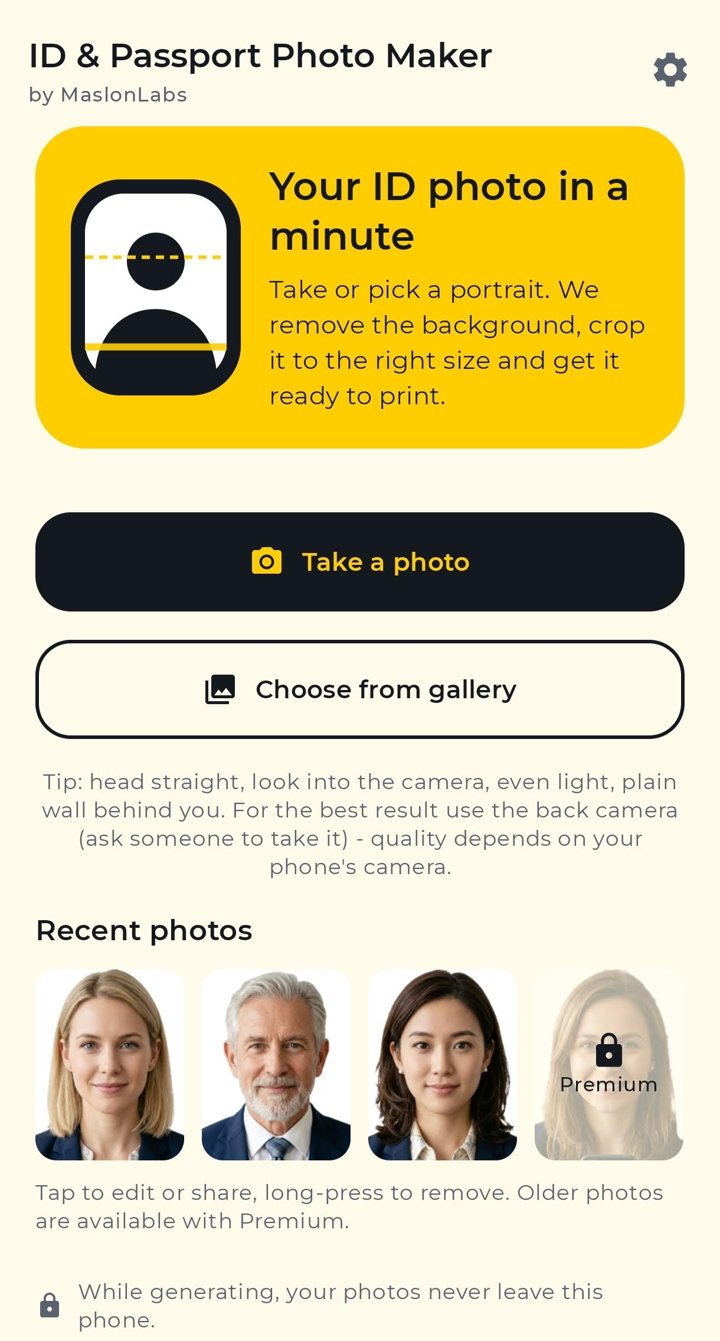
Open the app and tap Take a photo to use the built-in camera, or Choose from gallery for an existing portrait. The camera shows an oval for your head, an eye line and a shoulder check, with tips on light and distance. You can use the timer or the back camera.
Step 2: Choose a Document
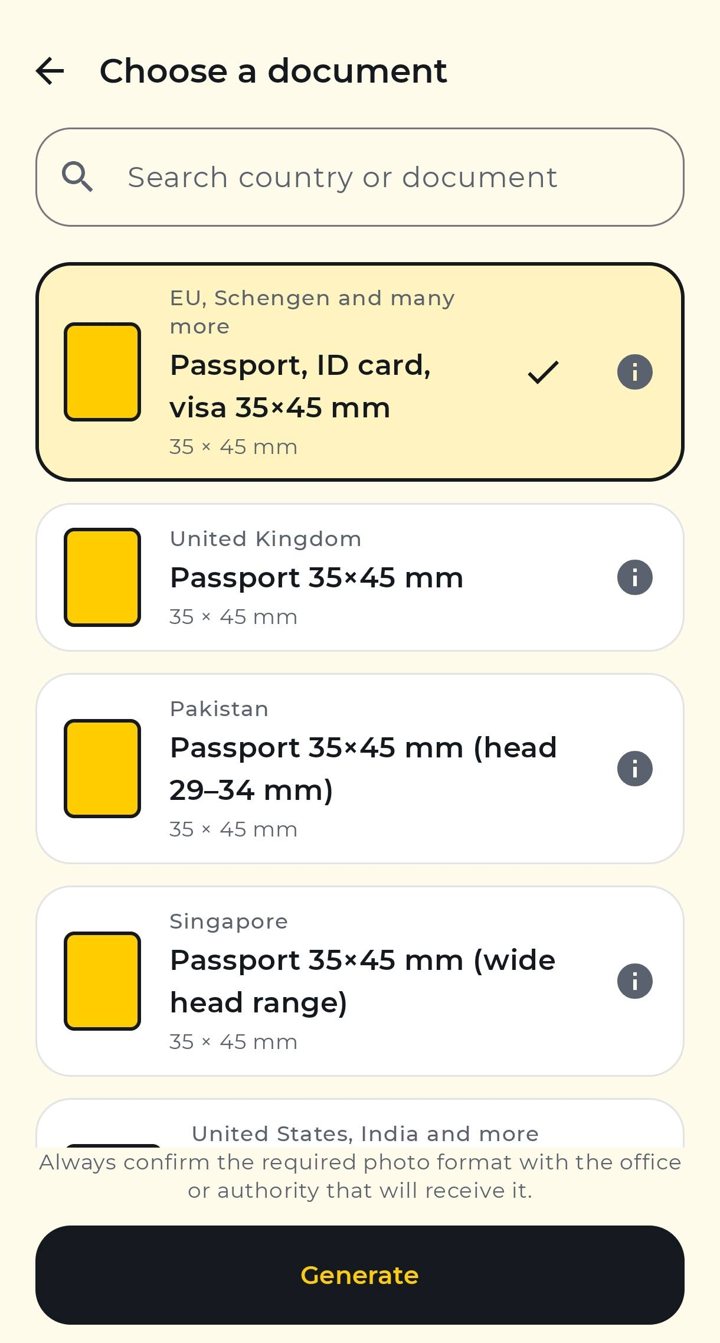
Search by country or document, such as a passport, ID card, visa or driving licence. Tap the (i) button to see the size and head range the app uses. Presets cover formats like 35×45 mm, US 2×2 in, Canada 50×70 mm and China 33×48 mm, and you can set a custom size.
Step 3: Edit and Check the Head Size
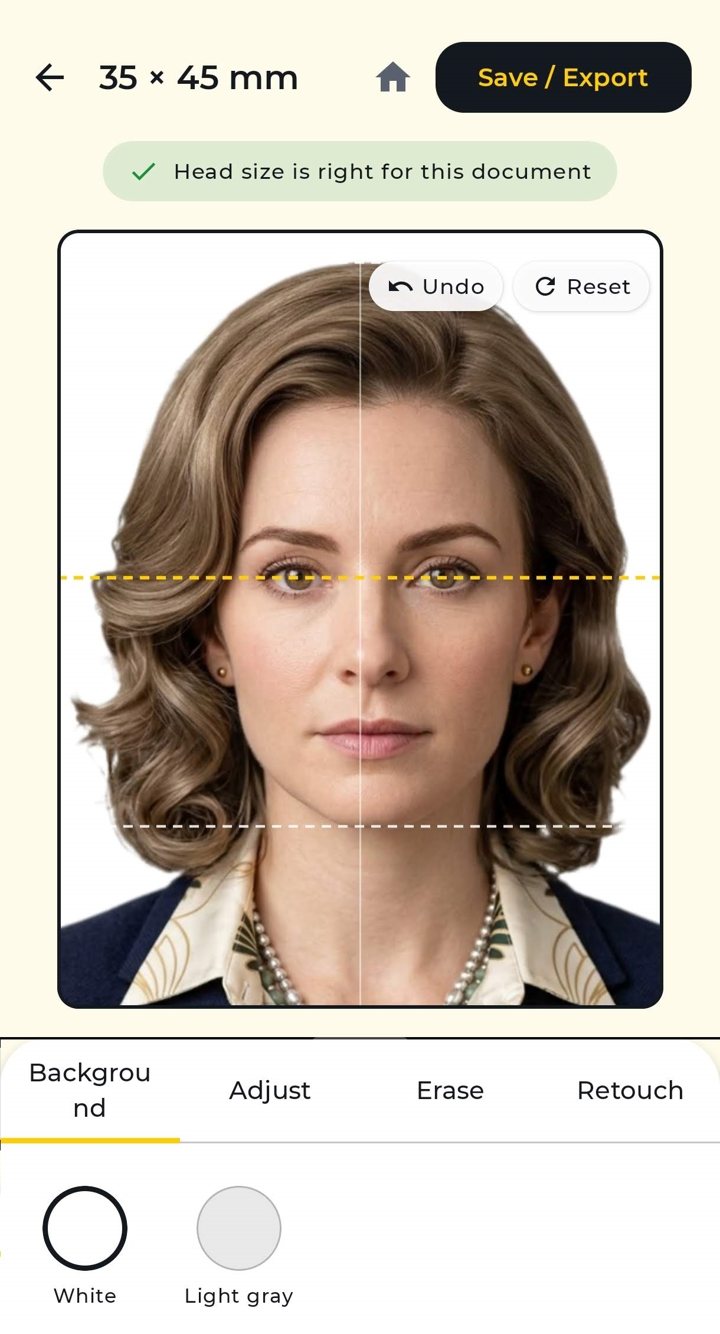
The app removes the background on your phone and crops the photo to the size and head position. A green tick tells you when the head size fits the document. You can switch between white and light grey where the document allows it, adjust the crop, erase leftovers at the edges and retouch small blemishes. There are also brightness, contrast, colour and sharpness controls.
Step 4: Save a Single Photo or a Print Sheet
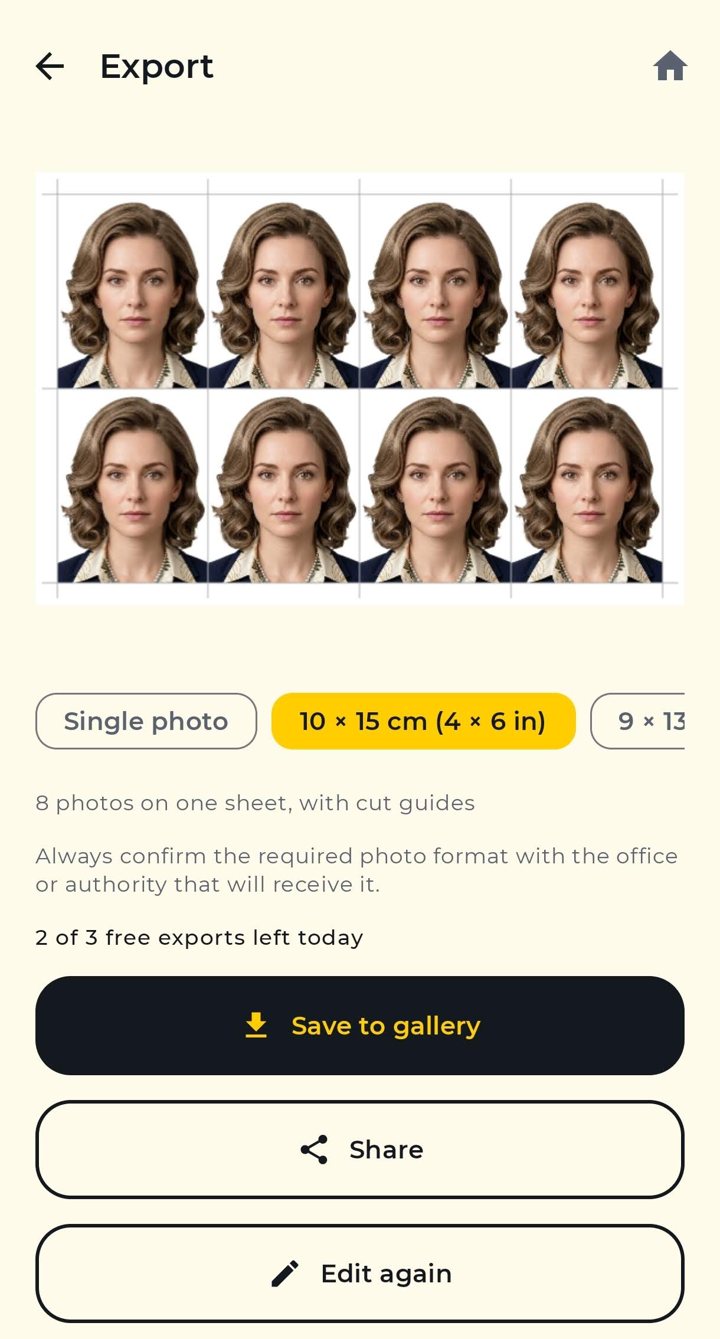
Tap Save / Export. Choose a single photo at 300 dpi, or a sheet with several copies on 10×15 cm (4×6 in) or 9×13 cm paper, with cut guides and a 3 mm safe border. Save it to your gallery or share it. In the free version you can save 3 times a day, and a short ad unlocks one more.
Step 5: Print or Upload
Print the sheet at a photo shop or on photo paper, then cut along the guides. Some offices require professional printing on photo paper (Canada and the UK say so on their official pages), so check before you print at home. If you apply online, follow the file rules of that service, such as size and format, which the app handles for documents with a file-size limit.
What the App Does Not Do
- It cannot guarantee acceptance. The office that receives the photo decides. The app follows published size and head-height rules and shows when a photo meets them.
- It is not affiliated with any government agency.
- A photo with a replaced background may be refused by authorities that ban edited photos, such as for US, UK and Canadian passports.
Free vs Premium
Free: 3 saves a day and the 3 latest photos in your history, with ads. Premium (monthly, yearly or lifetime): unlimited saves, no ads and up to 8 recent photos. Prices are shown in Google Play.
Get ID & Passport Photo Maker on Google Play. Comparing options first? Read our comparison of passport photo apps for Android.
Frequently Asked Questions
How do I make a passport photo with my phone?
Take a portrait against a plain wall, open a passport photo app, choose your country and document, check that the head size fits, then save a single photo or a print sheet. With ID & Passport Photo Maker the whole flow takes about a minute and works offline.
Does ID & Passport Photo Maker work offline?
Yes. Its Play listing says photos are processed on your phone and never uploaded, and that it works without an internet connection. The free version shows ads, which need a connection.
Is ID & Passport Photo Maker free?
It is free with ads: 3 saves per day, and a short ad unlocks one more. Premium removes ads and the daily limit.
Which sizes can I make?
Presets for passport, ID card, visa and driving licence formats for the EU, UK, US, Canada, China, Japan, India and more, plus a custom size from 15 to 200 mm per side.
Can I use the app for a US, UK or Canadian passport?
Those authorities say photos must not be edited with software, and the app removes the background, so the photo may be refused. Taking it against a real plain wall is the safer route. Check the official page of your country.
Can I print the photos at home?
You can save a 10×15 cm or 9×13 cm sheet with cut guides. Some offices, such as in Canada and the UK, ask for professional printing on photo paper, so confirm before printing at home.